
I Built a Software Factory
Contents
- What Is This Software Factory You Speak Of
- Why Do I Need a Factory When I Have Claude?
- Why Did the World Need Your Take on a Factory?
- Flexibility Is Not Free
- Best Practices by Default
- Escape the Terminal
- Core Principles Behind Fabrika
- Who Is This For?
- Fabrika
- Meet the Crew
- Accounts Vs. Harnesses
- Project Onboarding
- Checks
- Tests
- Environment
- Building Features
- Spec Review
- Plan
- Build
- Code Review
- As-Built
- Architecture
- System
- Capabilities
- Parting Thoughts
There’s a realization dawning on a lot of agentic engineers these days: the best results come from a software factory. The second realization, which tends to arrive just a few minutes later, is that everyone should build their own.
Never one to resist a trend, I built Fabrika (source), an opinionated software factory that can write production quality code and is optimized for human decisions:
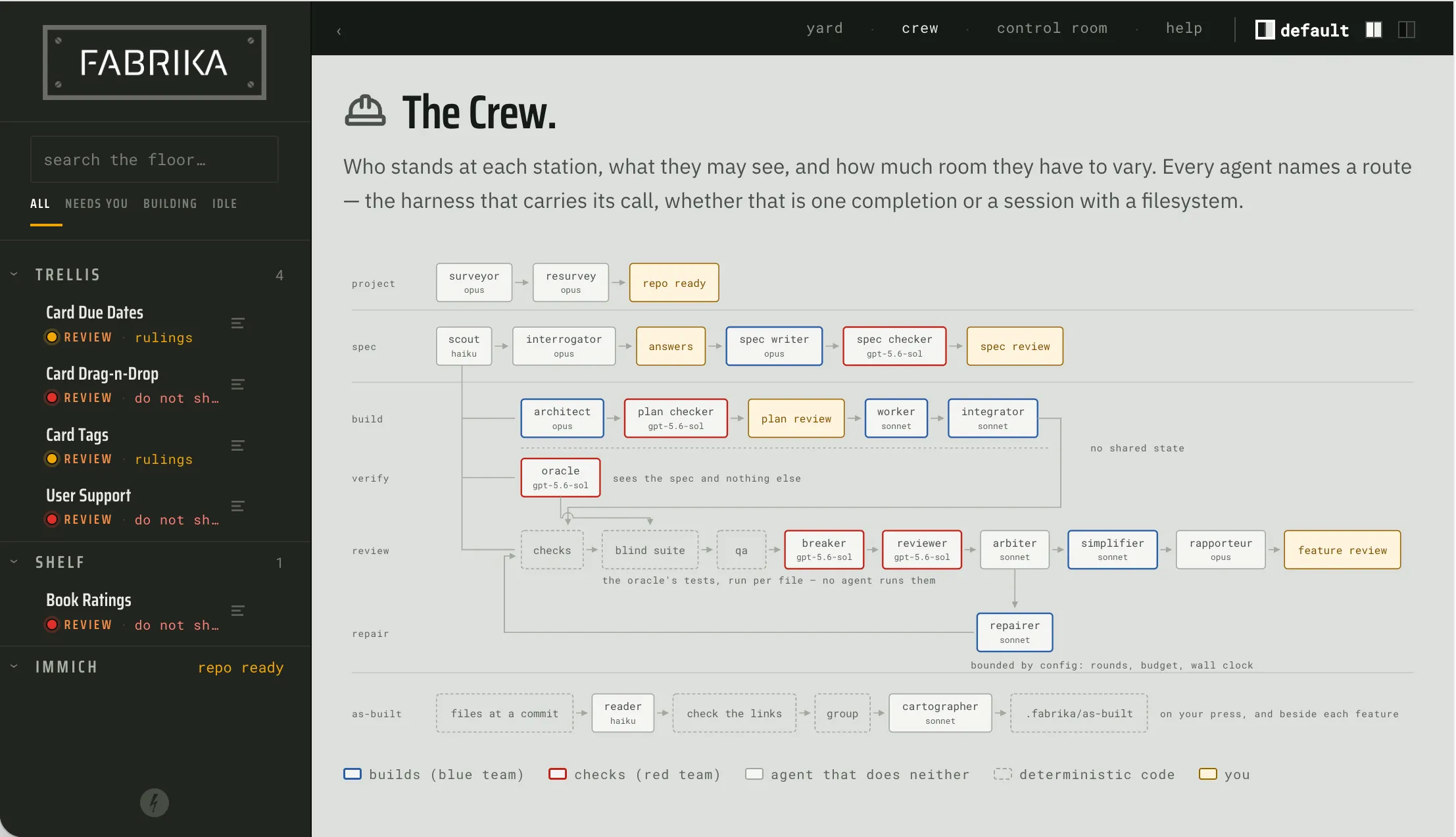
By the way, all the highlighted words in the statement above are, in Claude lingo, “load bearing” and I will say many things about them shortly. But before I do that, let’s first talk about what a software factory actually is.
What Is This Software Factory You Speak Of
At the risk of recycling clichés, if you ask 5 engineers to define a software factory, you’ll get 12 different projects they made to answer that very question. That said, there are common elements they typically share:
- Software factories have a set of coordinated agents, typically configured to do a specific job. This arguably is the thing that makes software factories software factories.
- Software factories usually go through an entire SDLC (writing, testing, and validating code) without human intervention.
You can see these ideas (and a lot more) in projects like Google Antigravity Teamwork, Kiro Crew, Factory and many many others.
Why Do I Need a Factory When I Have Claude?
At first blush it’s not obvious why you need a software factory at all. After all, Claude Code can (and does) spin up subagents, write tests, check code quality, and it can do it all largely independently. The answer is predictability. Yes, even though Claude Code can and sometimes does all these things, there is no guarantee that it will do them nor that it will do them the same way each time.
Now, I should note that Claude with some skills and some agent prompts could well become a “simple” version of a software factory. However, a full featured software factory can do a lot more, things like:
- Make it easy for a human to grok what the factory will do and what it actually did
- Check the agent’s work at every step, in an adversarial manner (red teaming)
- Cost optimize by matching models to specific tasks
- Help the developer implement best practices in their repository
Why Did the World Need Your Take on a Factory?
You might be wondering why, given all that already exists, I decided to build one too. The honest answer is that I thought I could bring something interesting and different to the party. Specifically, there are a few established ideas I have a different take on.
Flexibility Is Not Free
Most factory implementations make it a point to allow engineers to configure their agents however they want - how many there are, what they all do, and in what order. While the benefits of this are obvious, it’s not without its downsides. Specifically, if you can define whatever agentic flow you want, the factory cannot provide guarantees about how the code gets built.
I decided to be much more prescriptive and define exactly what the agentic flow in Fabrika will be. This approach made it possible for me to enforce things like red teaming, blind testing, and so on.
Best Practices by Default
While factories are great for building new features, they aren’t really built to help the engineer improve their codebase as a whole. I wanted my factory to follow the boy scout rule - leave things better than you found them. As a long time CTO and a big believer in engineering best practices, this just seemed like the right thing to do. So, I built Fabrika to help the engineer with things like automated code verification, proper supply chain management, multilayered testing, environment isolation, etc.
Escape the Terminal
This might be the most controversial thing about my approach, but I did not want to make my factory terminal based. Yes it’s true - I am not in love with the terminal. And yes, I know that Claude Code was born in the terminal and that TUIs can be magical.
Simply put, I prefer GUIs. More specifically, I believe that human understanding can be aided significantly if the information is presented in a visually compelling, purpose built UI. And, given that Fabrika is largely a read interface, it just made sense to invest a lot of effort in a UI optimized for that experience.
Core Principles Behind Fabrika
All this boiled down to two core principles that drove Fabrika’s design:
-
Produce production ready code. The factory needs to ensure that the code being written is fully vetted and well tested. This requires adversarial agents at every step (using models from a different lineage than the builders), environment isolation, strict separation of code and validation, and many other things.
-
Make it easy for the human to underwrite the agents’ work. I really like David Boskovic’s idea that the main job of a human engineer in the context of agentic development is underwriting the work done by the agents. Hence, the factory needs to give the human as much help as possible in understanding what will be built and what was actually built.
Who Is This For?
I initially built Fabrika for people who are working on a system either by themselves or on a small team, building features largely on their own. As of today, Fabrika assumes that it’ll be run by a single user, on their device. It does not have team features like user logins or coordination of work streams, it does not support cloud deployments, etc.
This is, of course, not to say that Fabrika will never do those things (on the contrary, odds are that it eventually will). It’s simply a matter of needing to start somewhere.
The other thing I should mention is that I don’t expect Fabrika to be used for all work. It’s intentionally not designed to support a high degree of interaction with the agents and is really best suited for well defined, self contained features. For work that does require a lot of interaction (such as developing a new user experience or exploring a new problem space) I would suggest a traditional agentic session.
Ok, that’s enough background - let’s dig into the nuts and bolts of Fabrika.
Fabrika
Meet the Crew
At the heart of Fabrika is a crew of agents designed to onboard projects and build features. Each agent plays a specific role, as defined by its prompt:
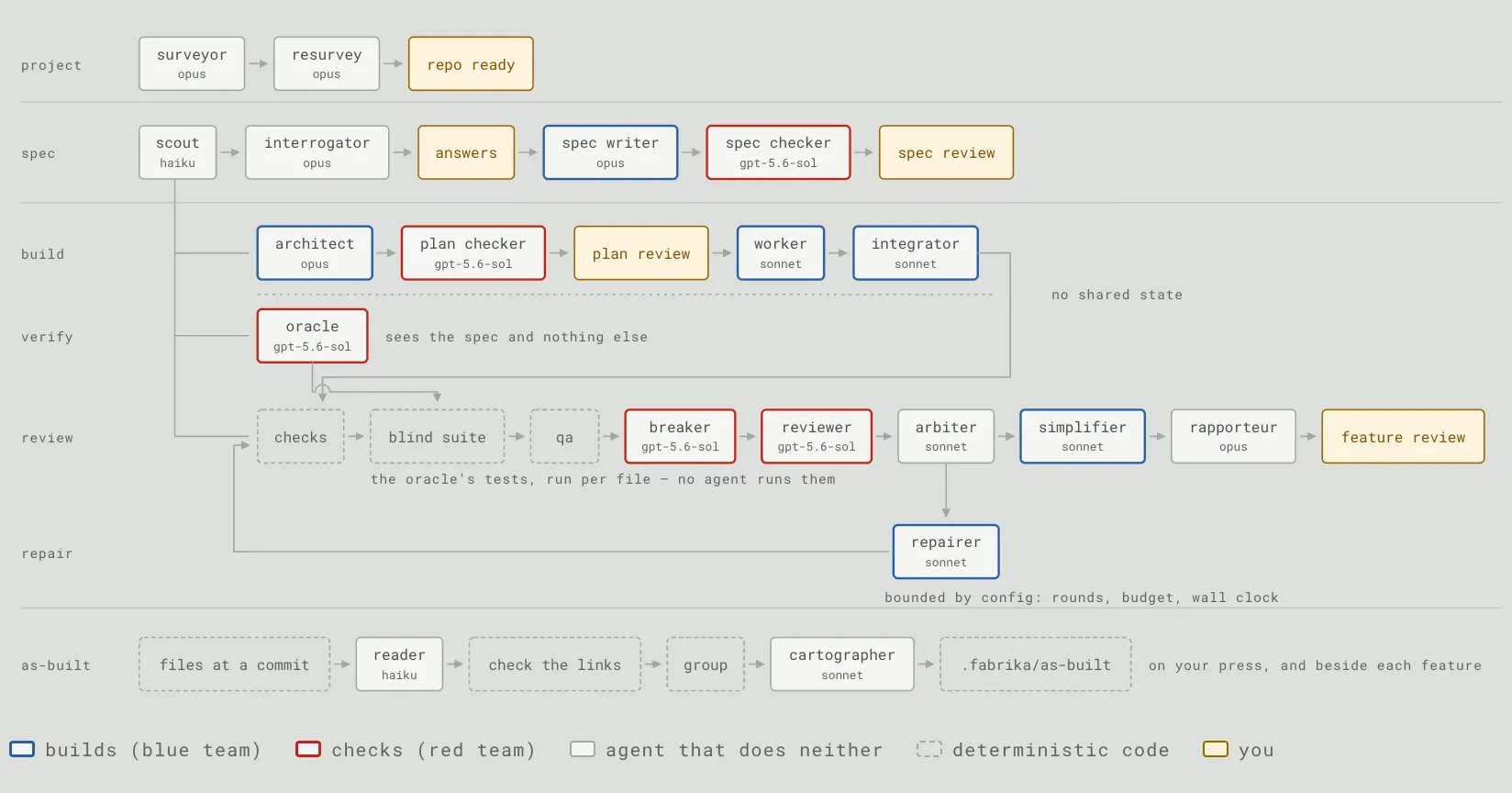
A few things to note:
-
Most agents are separated into “builders” (blue team) and “checkers” (red team). Fabrika wants these two teams to use different model lineages. For example, if you’re building with Claude, you should be checking with GPT (or Gemini or whatever). While it won’t stop you from putting both teams on the same family, it will definitely warn you about it.
-
Every agent session and every check runs in its own sealed Docker container, and every feature is built on its own git branch in its own worktree. Your checkout is never touched; what you get back is a branch.
-
Fabrika automatically restricts what a given agent can see based on what that agent is meant to do. For instance, a worker gets full access to the branch it’s working in and all tools available to the harness, whereas an oracle can only see the requirements, and not any of the code being written by the workers.
-
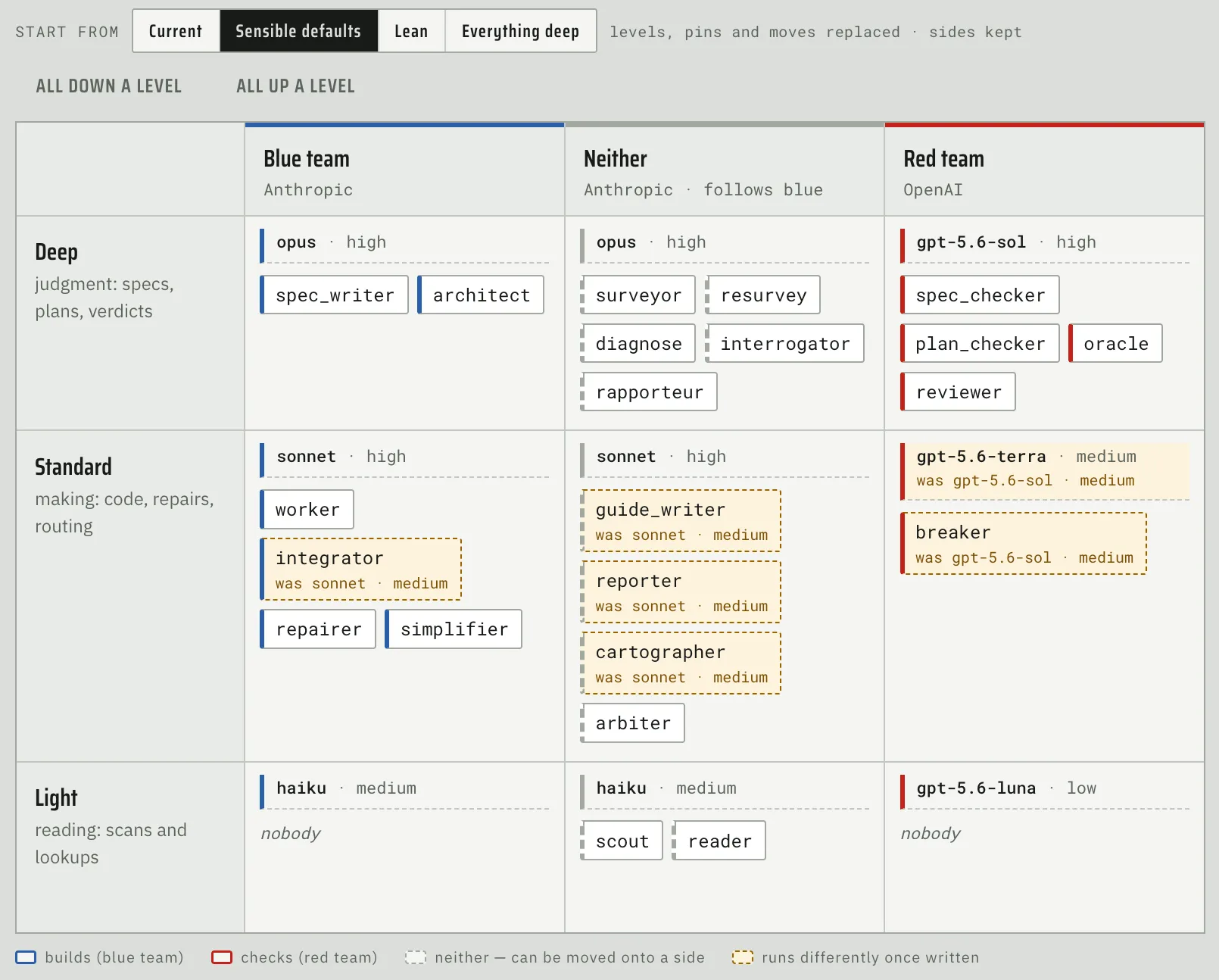
Agents are assigned to models depending on the intelligence needs of the task. So, a code scout (who is responsible for reading the code and summarizing it) can run on something like haiku whereas an architect (the agent that plans out the implementation) needs something like opus. This is configurable by the user though Fabrika is happy to make suggestions:
-
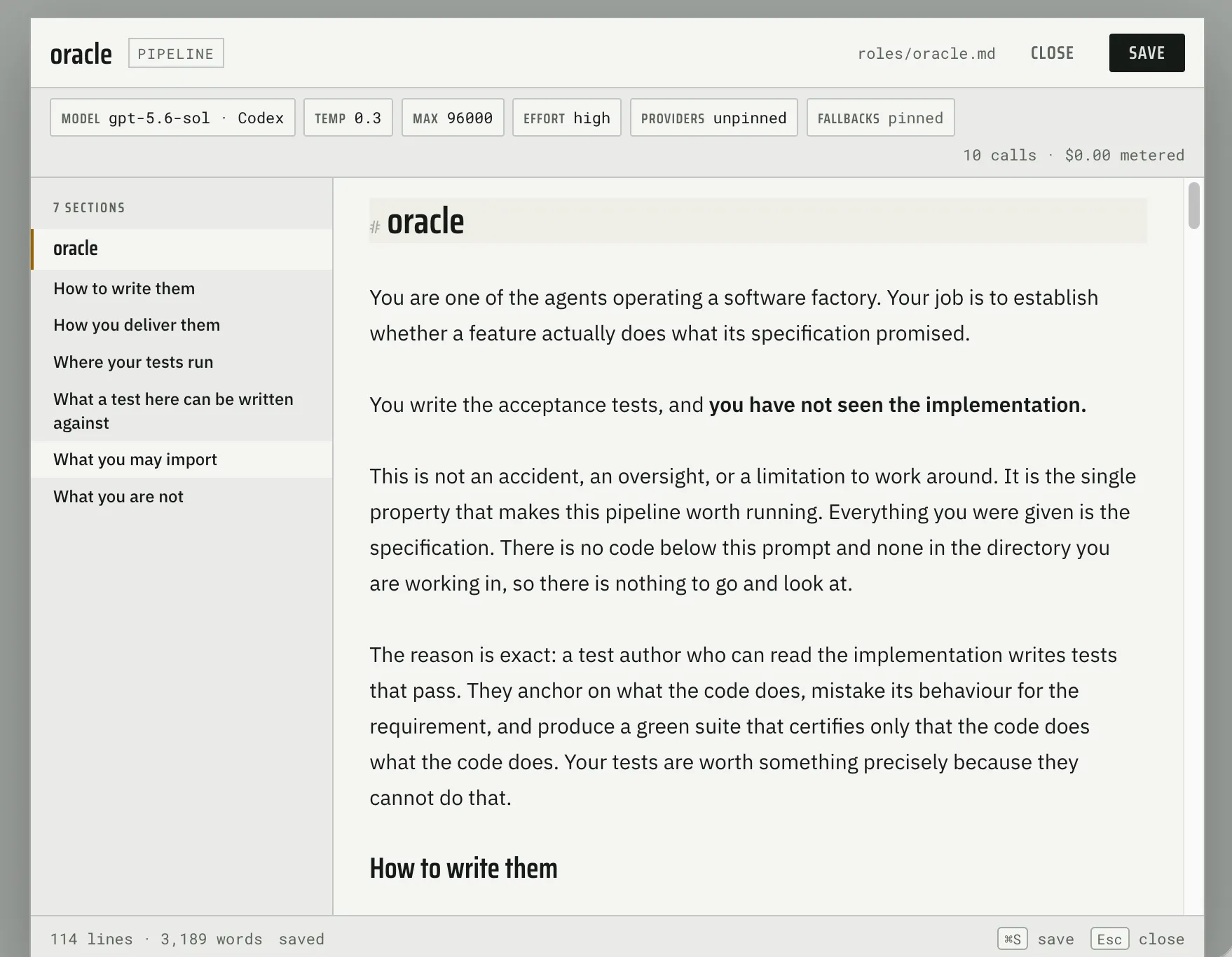
Each agent has its own prompt specially tuned for the work it needs to do, but you can change it if you’re so inclined:
Accounts Vs. Harnesses
Fabrika supports using Anthropic and OpenAI subscriptions natively (by running Claude Code or Codex headlessly). You can also use models from providers like OpenRouter or run your own local ones via the default (and excellent) OpenHands harness.
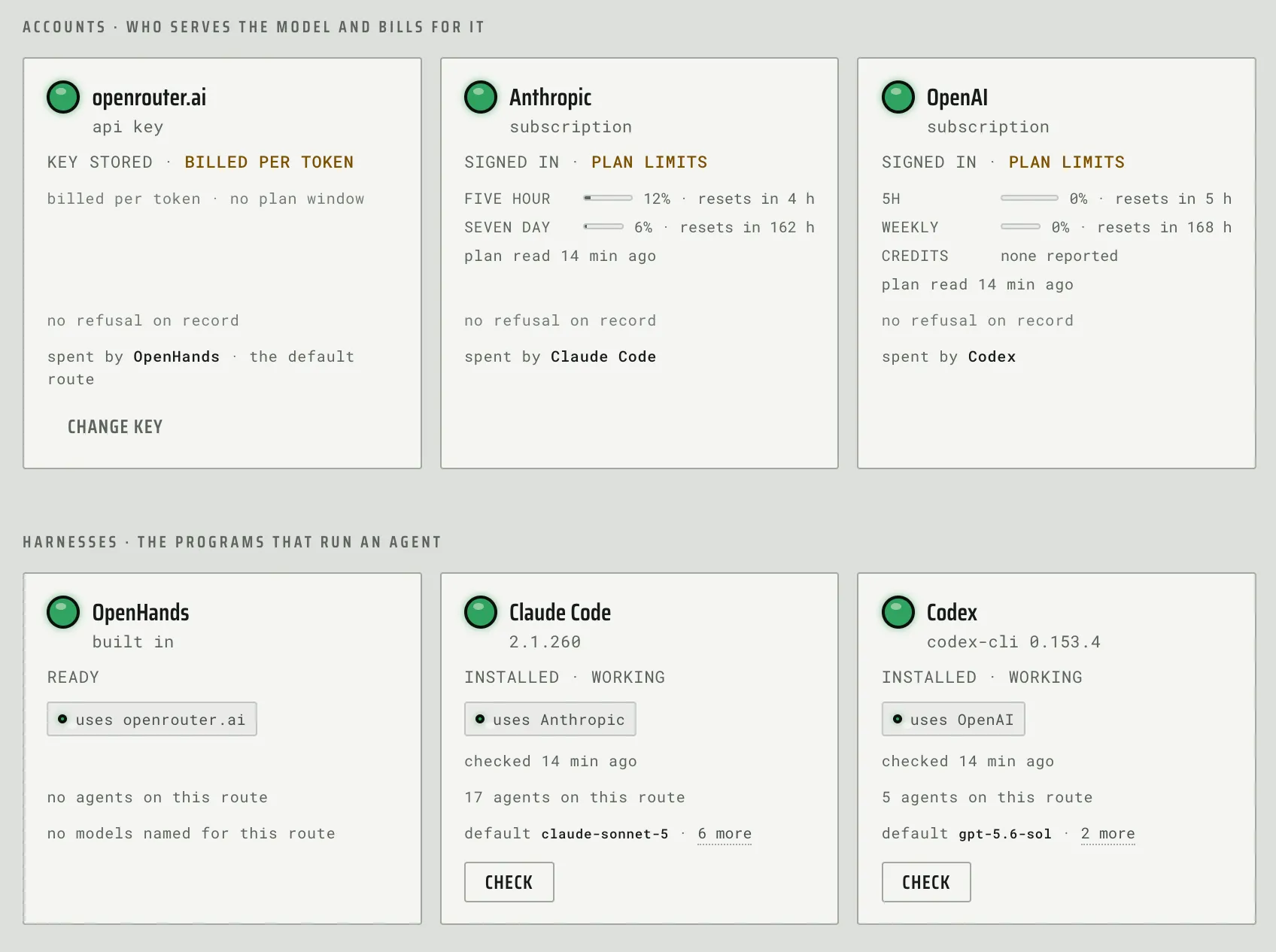
Since subscriptions are throttled, Fabrika also supports fallback agents, one for each team, that it can automatically default to if the main one is unavailable: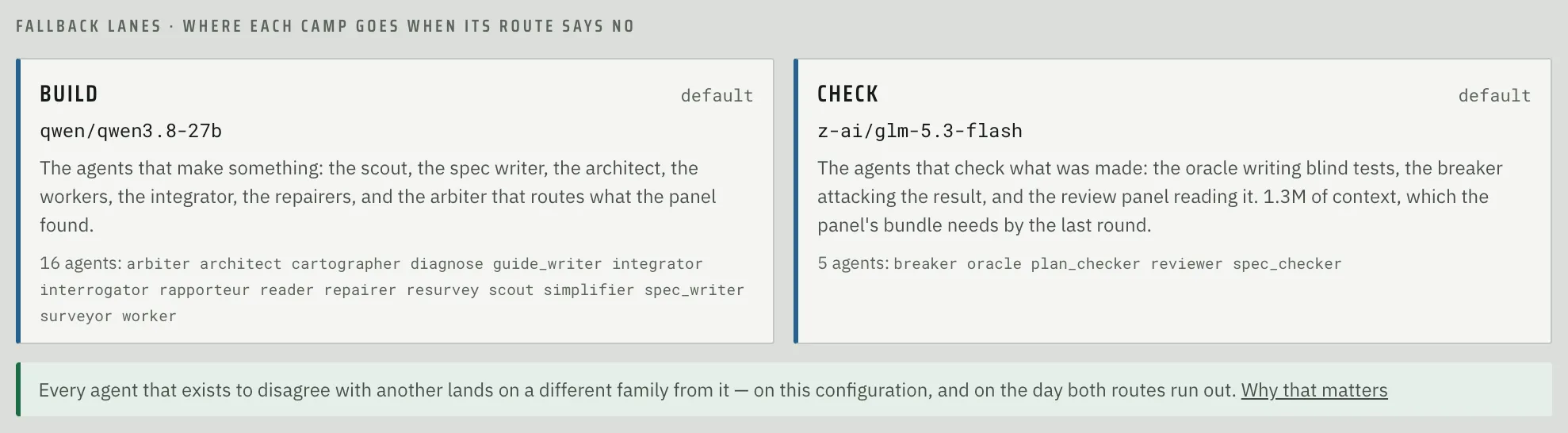
Project Onboarding
When you first add a project in Fabrika, it surveys it to understand how the codebase is checked, tested, and guided:
- code structure (linters, type checkers, etc)
- code quality (security checks, accessibility issues, etc)
- tests (unit, integration, and user facing)
- agent guides (AGENTS.md, CLAUDE.md, skills, etc)
It then runs every check it found on an untouched checkout and presents the results in a dashboard (along with other info):
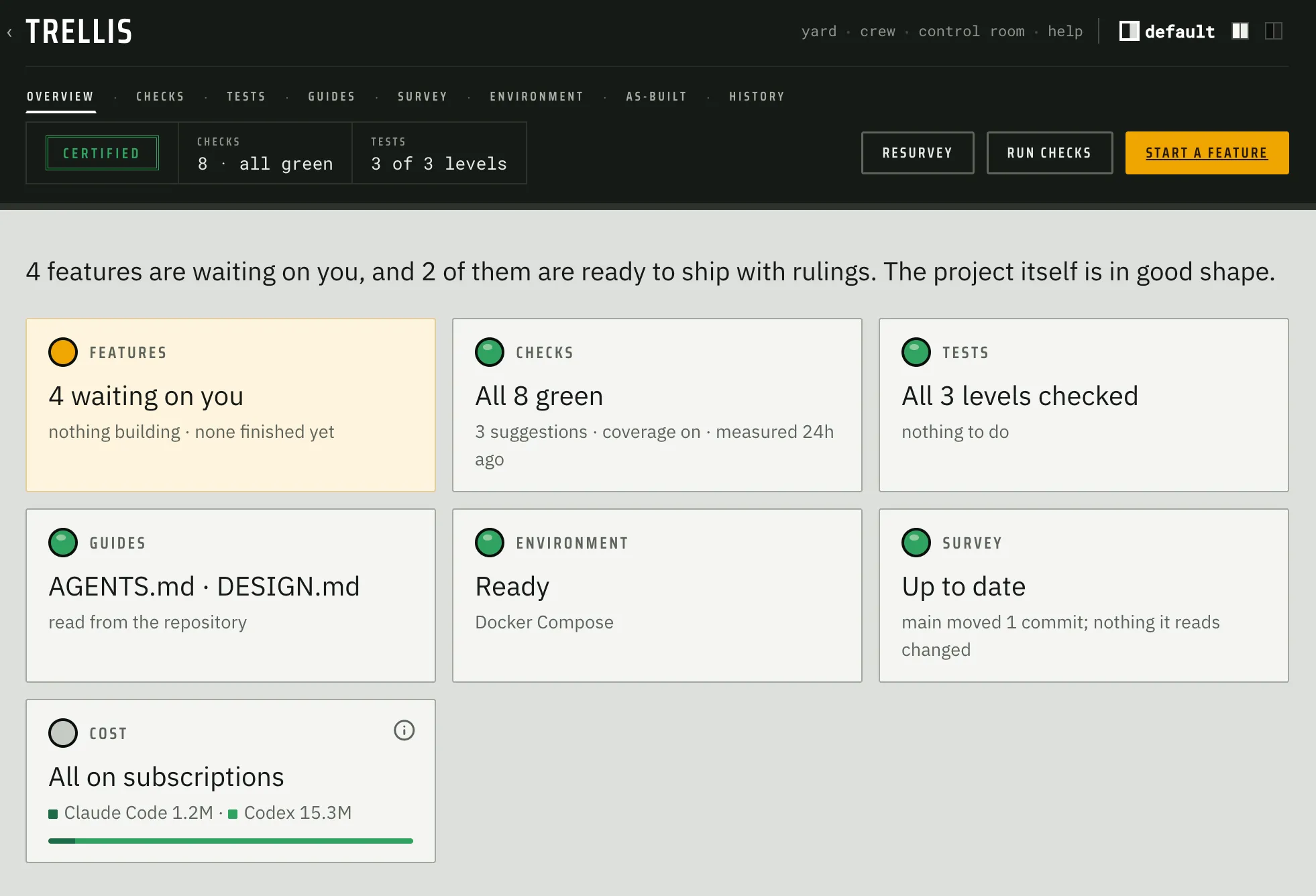
An important thing to understand about checks is that nothing gets built until you accept them. It’s done this way because Fabrika needs a valid baseline against which it can evaluate future work. That said, a check doesn’t have to be green to be accepted: if something is already failing, you can fix it, hold it at today’s number, or decide it doesn’t apply to this project.
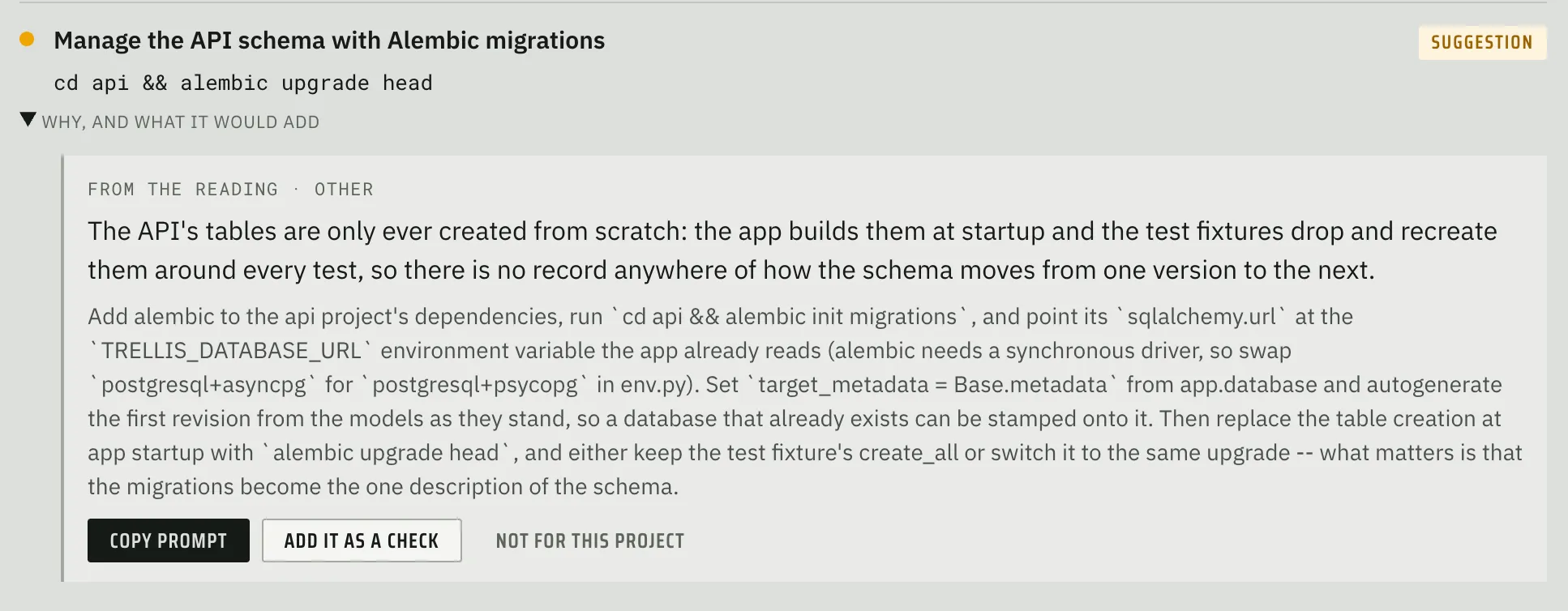
If Fabrika sees a gap that should be closed (say a missing linter), it will propose a fix. If all that’s missing is a small file, Fabrika will write and commit that file at a press of a button. However, if there is real code that has to change, Fabrika will create a prompt that can be handed to a coding agent of choice:
Checks
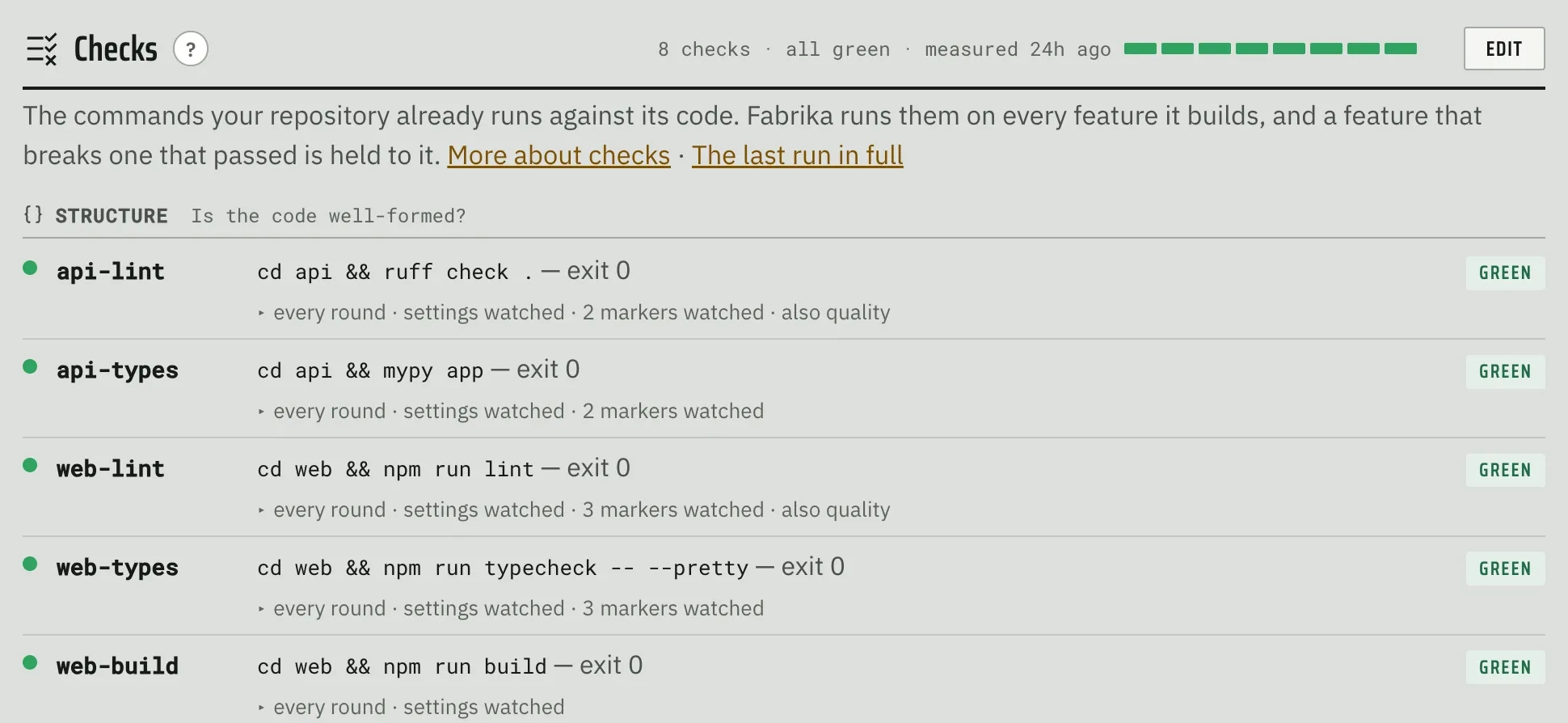
Fabrika looks for 3 types of checks: structure, quality, and tests. Structure checks help understand whether the code is well formed, and contain things like linters and type checkers:
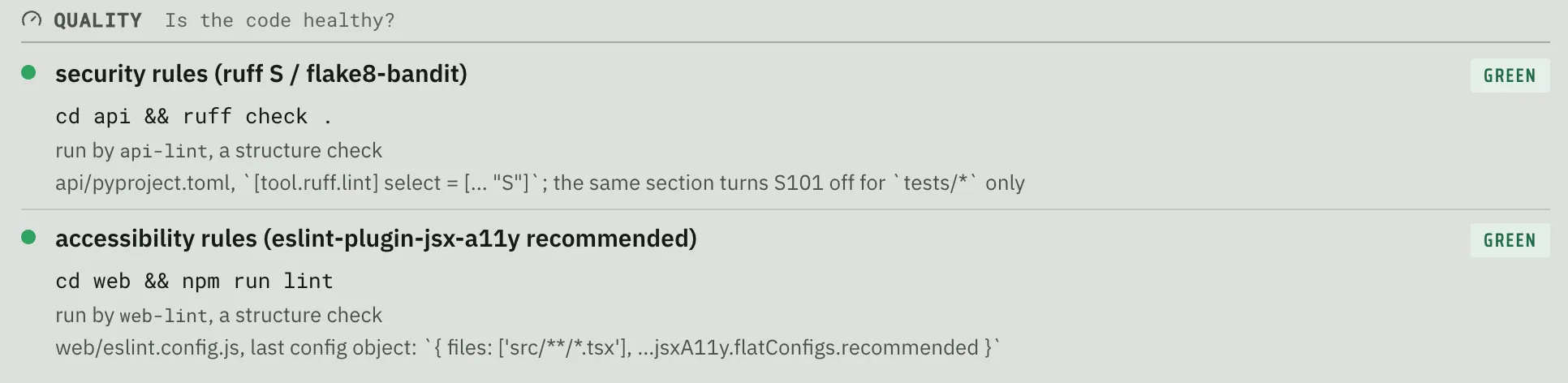
Quality checks can help determine whether the code is healthy. Here you will find things that check for security issues, accessibility issues, code complexity issues, and so on:
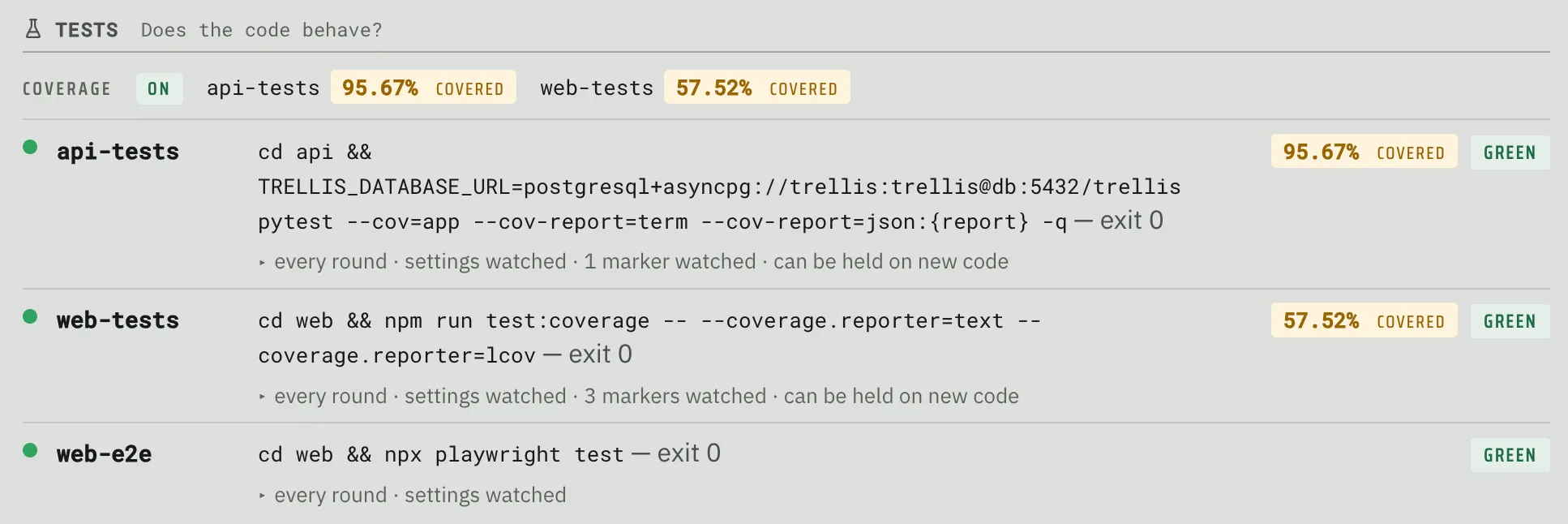
Finally, test checks describe how the system runs various types of tests. In addition to that, if the codebase is configured to measure code coverage, those show up here as well:
Tests
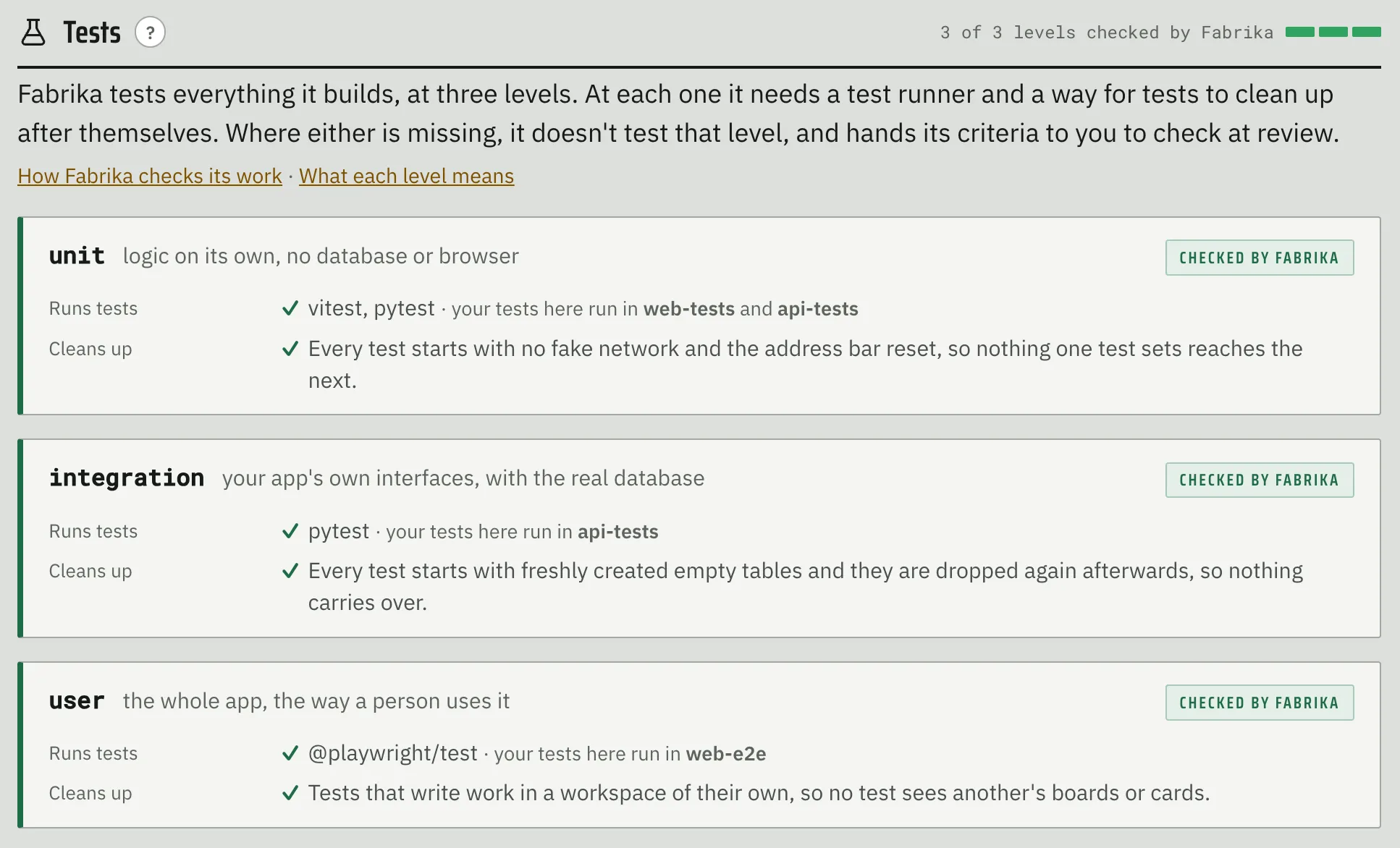
Since Fabrika wants to test as much as possible when building features, it needs to have reliable test mechanisms for unit, integration, and user facing tests. Notably, this goes beyond just what test runners exist - it also tries to understand how test idempotency is managed (test fixtures, setup/teardown mechanisms, test databases, etc.). Fabrika verifies all this by running a test twice and making sure it leaves nothing behind:
Environment
Since every check and every agent runs in a container, Fabrika needs to know what that container should look like. This tab shows what it settled on: your own compose stack, your existing image, something built on top of your image, or an image built specifically for this project:
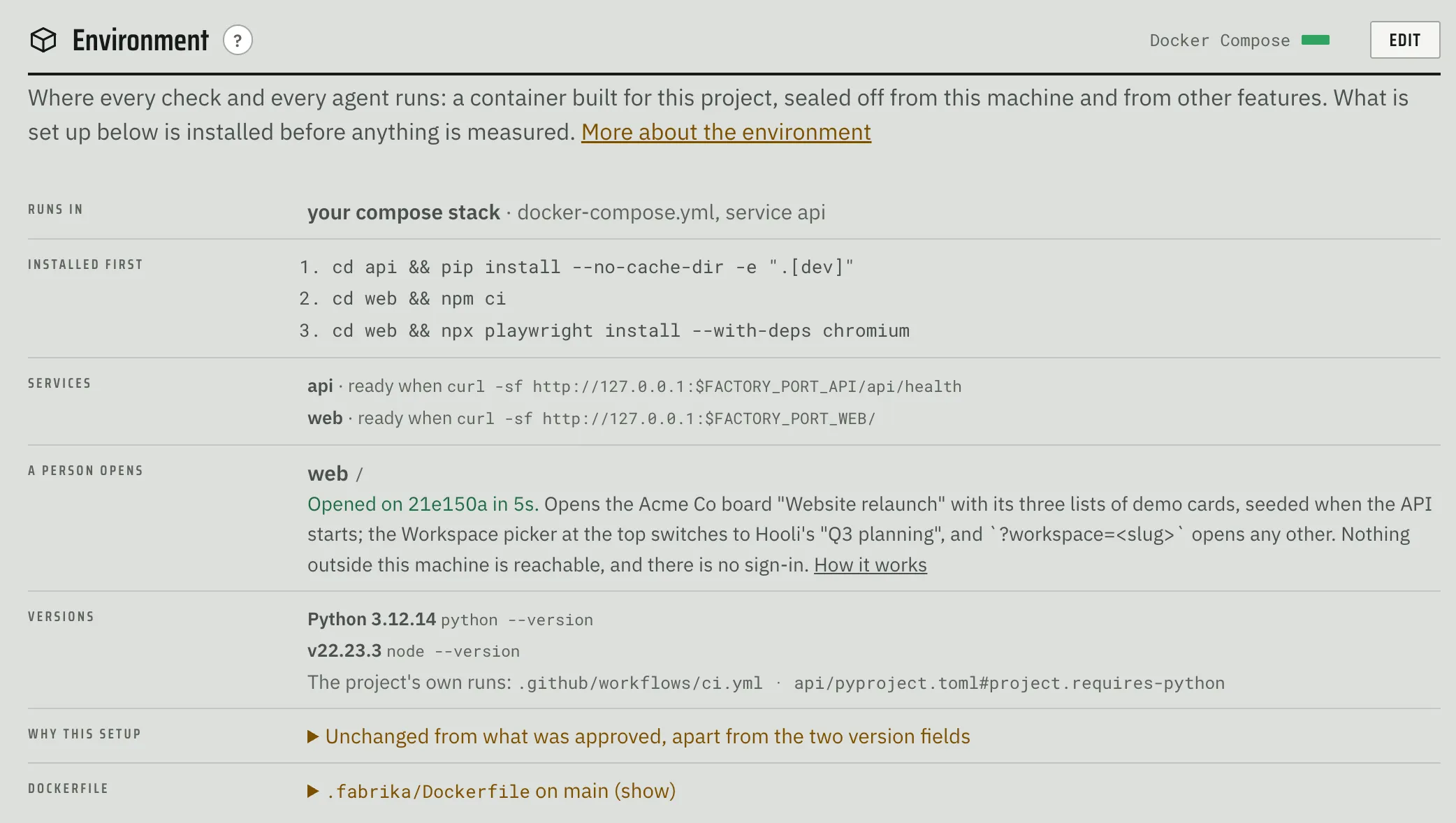
Importantly, if the repository doesn’t have a usable environment, Fabrika will propose one.
Building Features
Building features in Fabrika goes through the following steps:
- Give it a prompt
- Answer disambiguating questions
- Review the spec
- Review the plan (only if needed)
- Review results
- Profit?
I should note that feature design (i.e. figuring out what to build) should be done outside of Fabrika. My recommended workflow is to first figure out the details somewhere else (either on your own, with your favorite human, or your favorite agent), boil it down to a succinct but detailed prompt, and hand that over to Fabrika.
All that said, to actually build a new feature in Fabrika, you need to give it a prompt, name the feature, and send it on its way: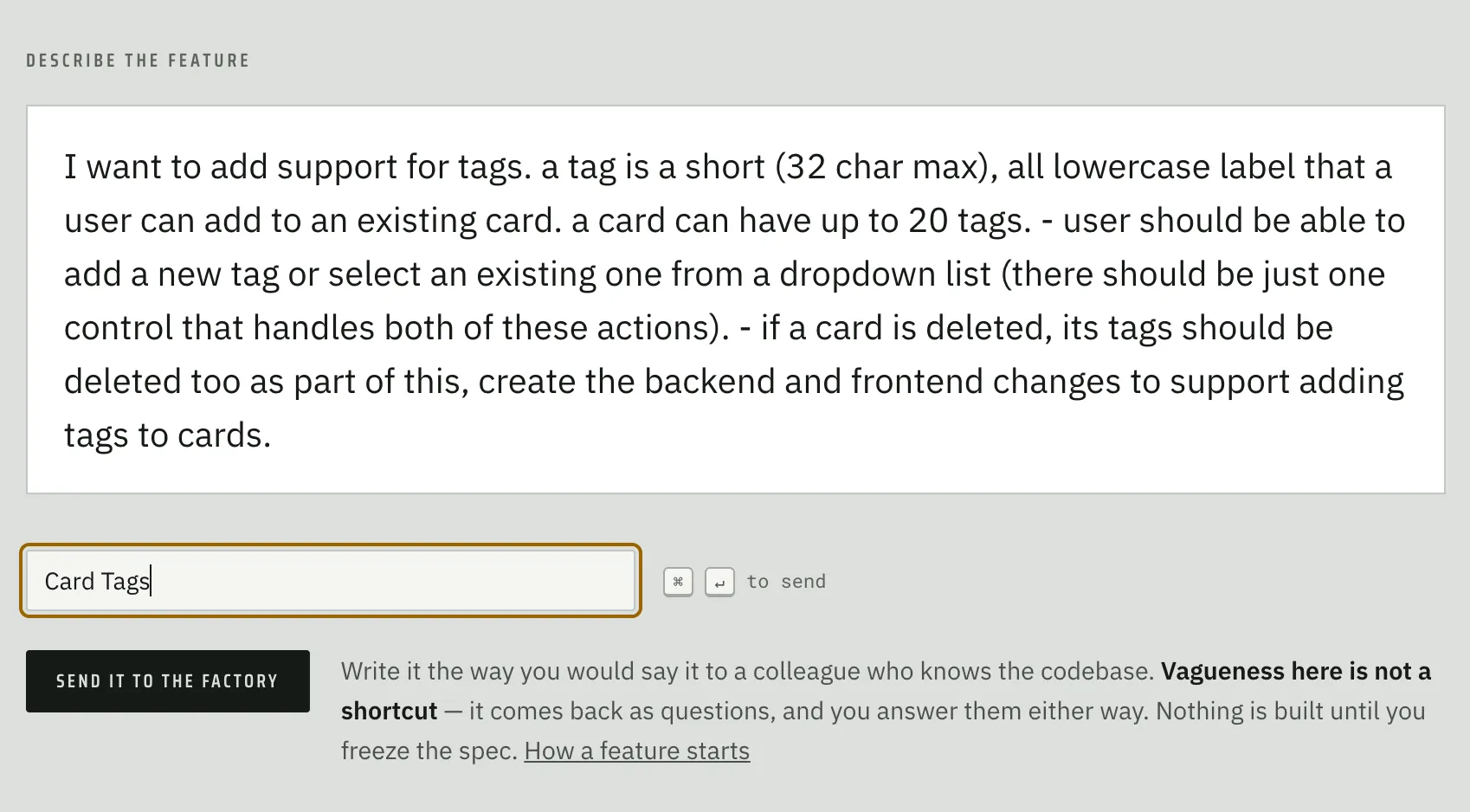
The scout will read the codebase and the interrogator will figure out what questions it needs you to answer:
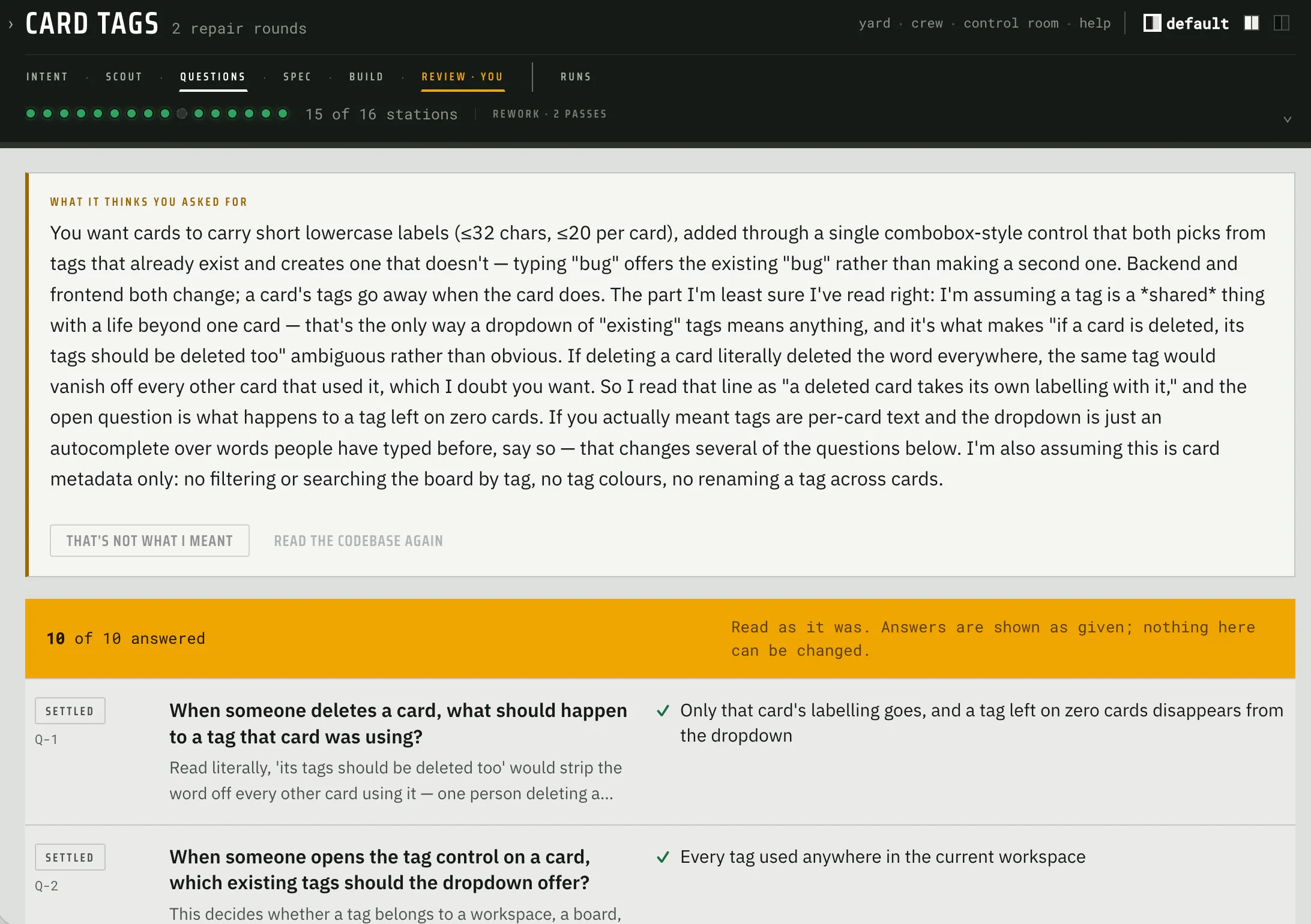
Once all questions are answered, spec writer (blue team) writes the spec, and the spec checker (red team) scrutinizes it. They then hash out disagreements, and only those they can’t settle are included in the spec as open questions. Once they’re done, the resulting spec is presented to the human for review.
Spec Review
Spec Review is the first of three decision points that require a human and is arguably the most important human interaction in Fabrika. It’s designed to make it as easy on the human as possible to understand what’s about to get built and correct course if needed.
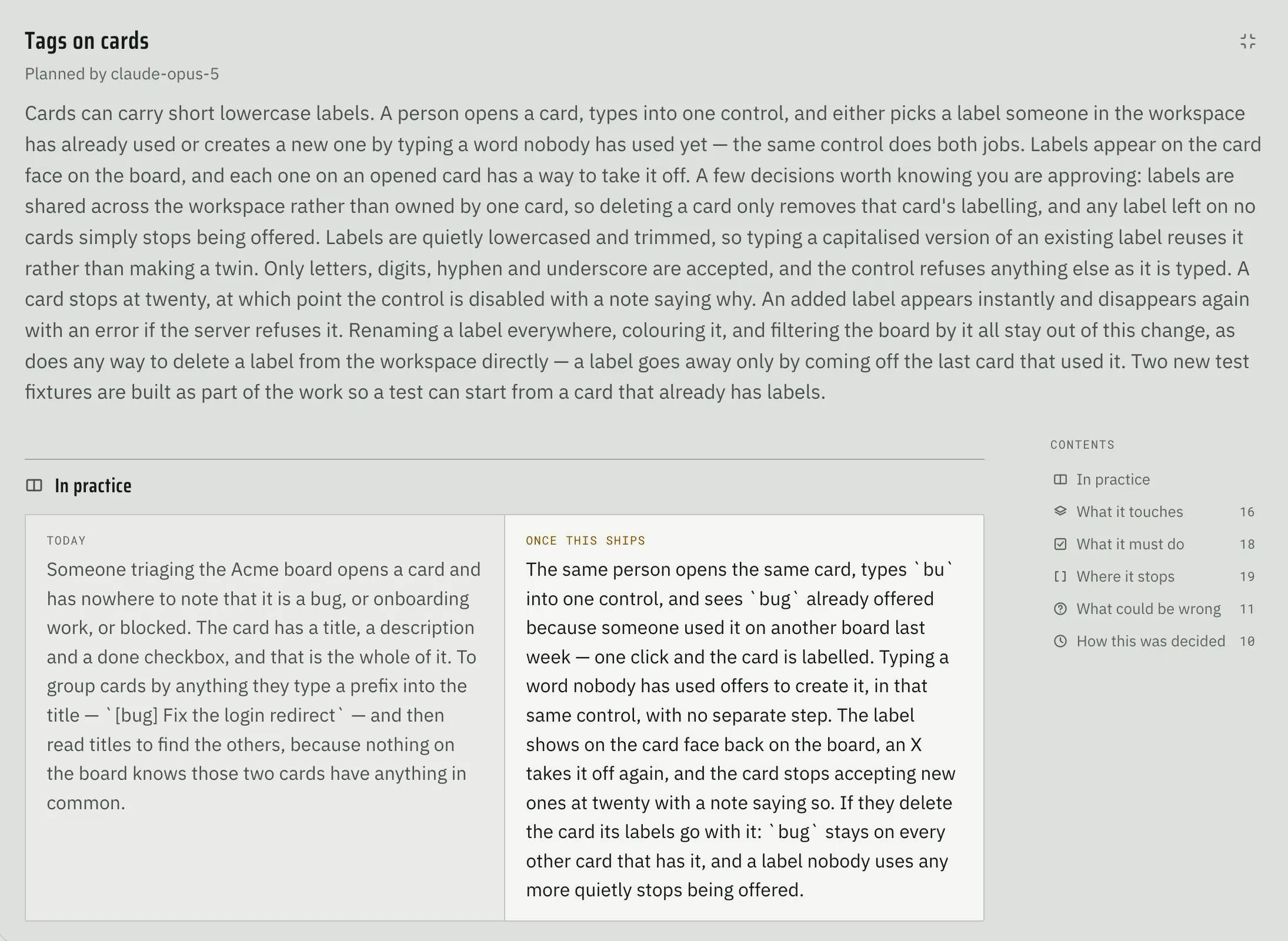
Each spec opens with a short summary and follows the same outline:
- In practice
- What it touches
- What it must do
- Where it stops
- What could be wrong
- How this was decided
It starts by describing what the feature does as well as the state of the world before and after the feature comes into existence - the goal here is to quickly ground the human in the why/what of this build:
The next section tries to literally paint a picture of the proposed changes: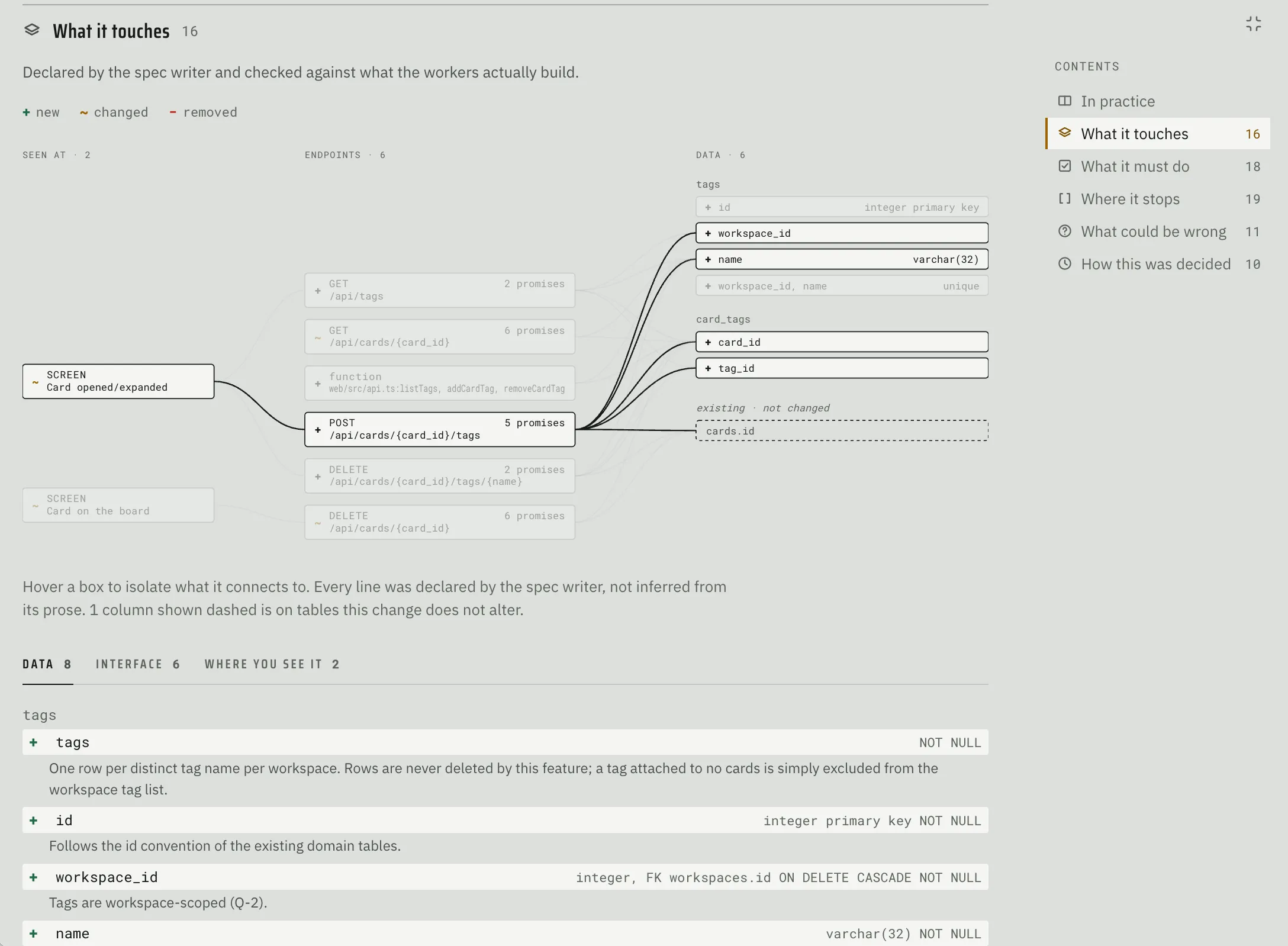
It presents the human with an interactive diagram of the layers impacted by the change (data model, APIs, UI if applicable) and describes what each specific change does.
The next section lists out all the acceptance criteria, organized by layer, with each one tagged by how hard it would be to undo (from “easily changed” all the way to “cannot be undone”):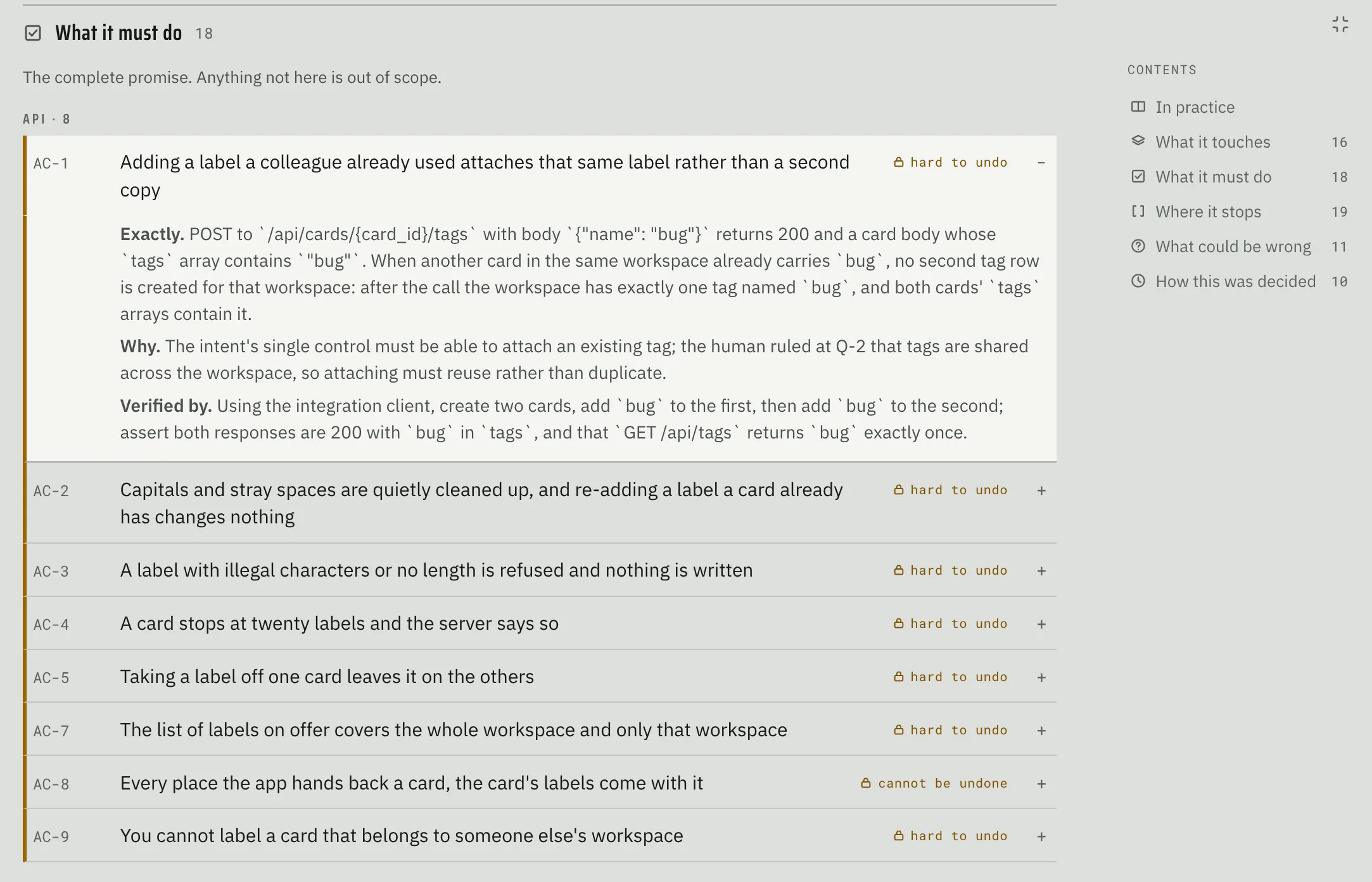
Each criterion also spells out how it will be verified and at what level (unit, integration, or user facing). This is what the oracle writes its tests against during the build.
Finally, the last two sections highlight things deliberately left out of scope (“Where it stops”) and any assumptions / unstated decisions taken in the spec (“What could be wrong”):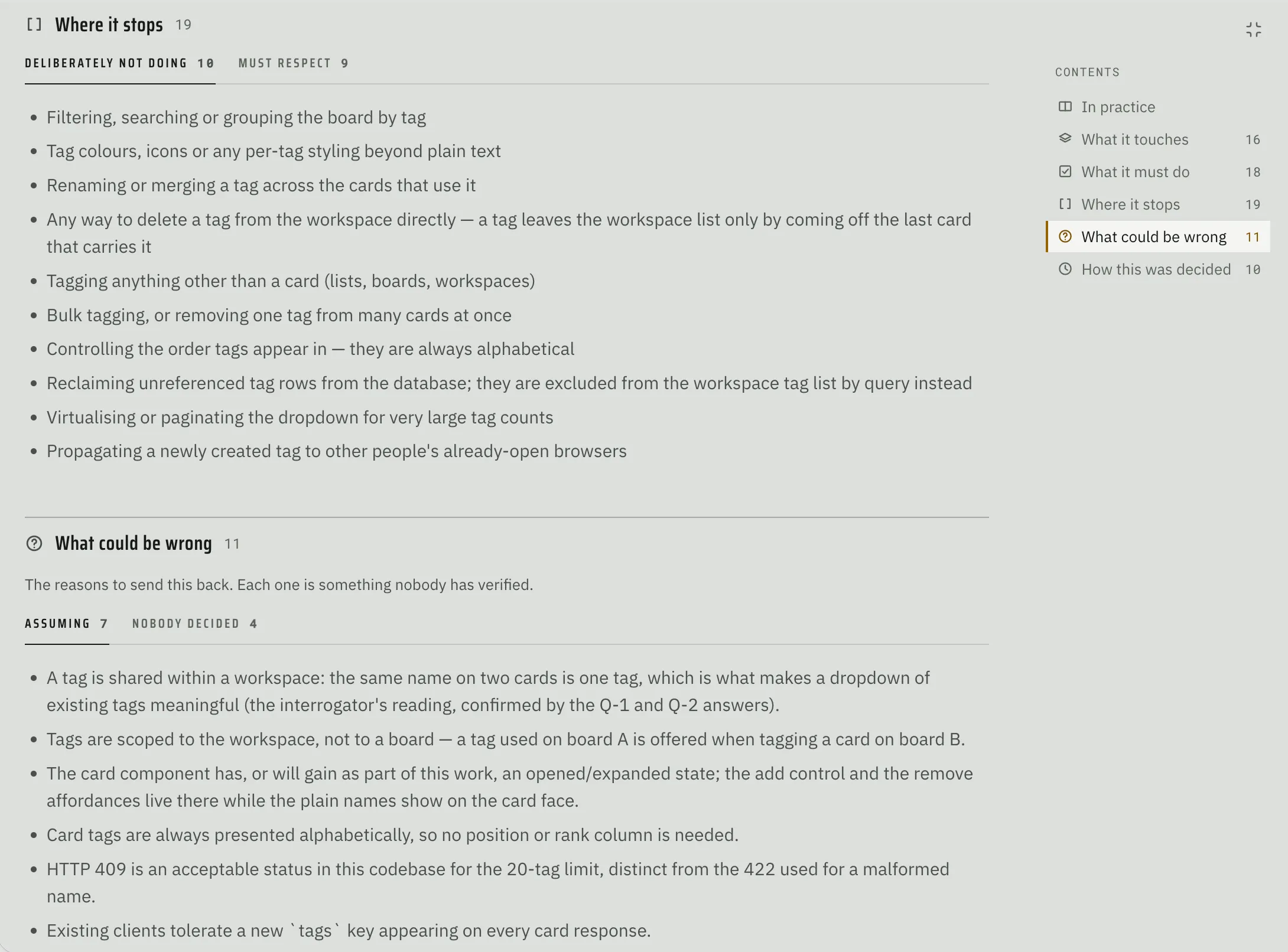
The human can, of course, make corrections and send it back for another round of specifications. Alternatively, the human can freeze the spec which will kick off the planning phase.
Plan
During this phase, the architect creates an implementation plan, defines units of work and consequently the number of workers that will actually build the feature. This plan is reviewed by the plan checker, and the architect gets a chance to answer each of its objections. If any disagreements are left unsettled, the plan is presented to the human for final sign-off. However, if the two reach agreement, the build process kicks off in earnest.
Build
The build process is executed by the following agents (along with their team designation):
- Worker (blue team) - writes the code and unit tests. Multiple workers may run in parallel, depending on the feature
- Integrator (blue team) - integrates the work of multiple workers into a single coherent whole, and writes tests that cover the seams between them
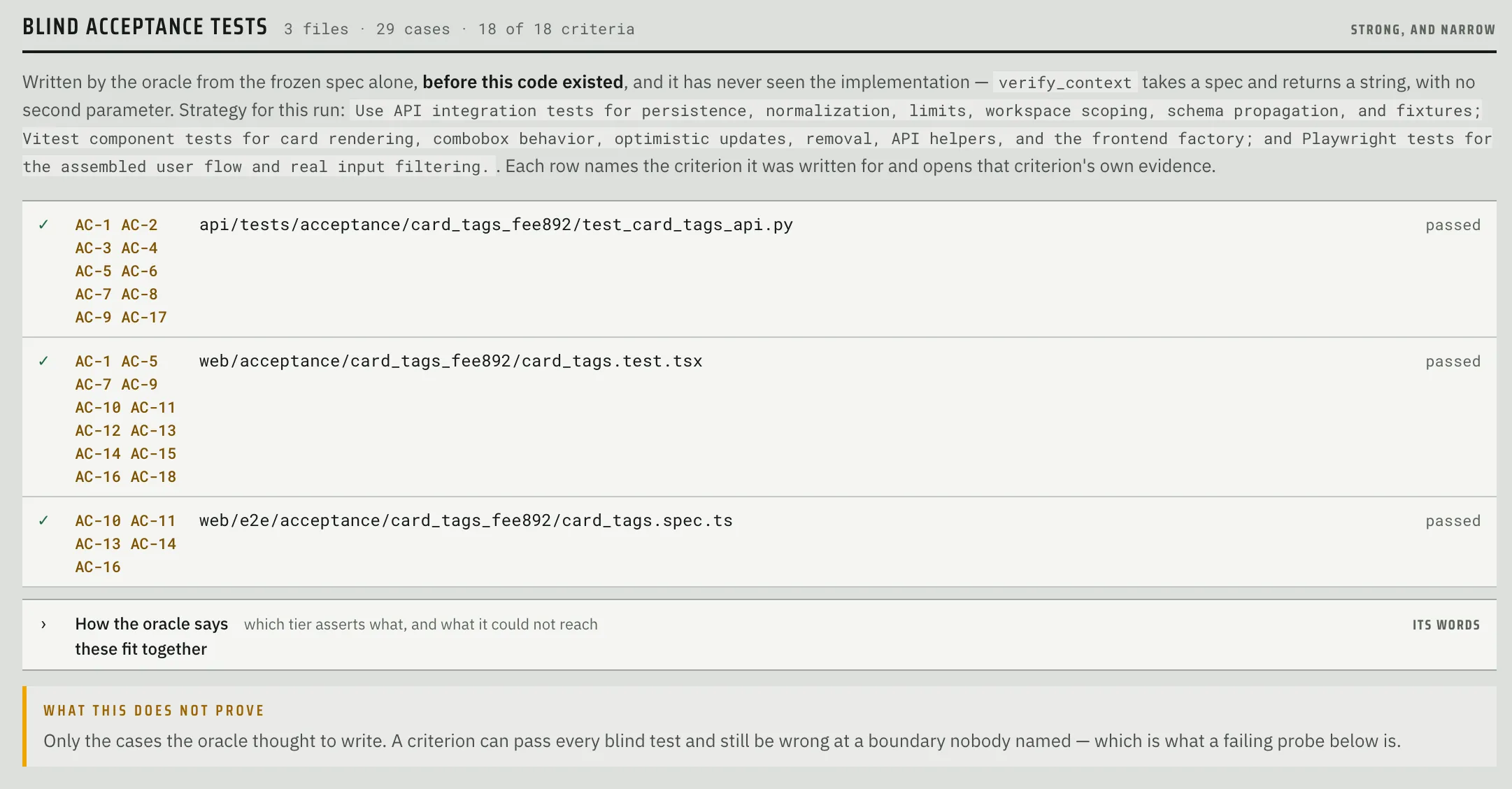
- Oracle (red team) - writes acceptance criteria tests based purely on the spec. Oracle runs in parallel with the workers and crucially cannot see the implementation so that its tests cannot be biased by it. Assuming that the tests it writes pass, they should become part of the regression suite for the codebase.
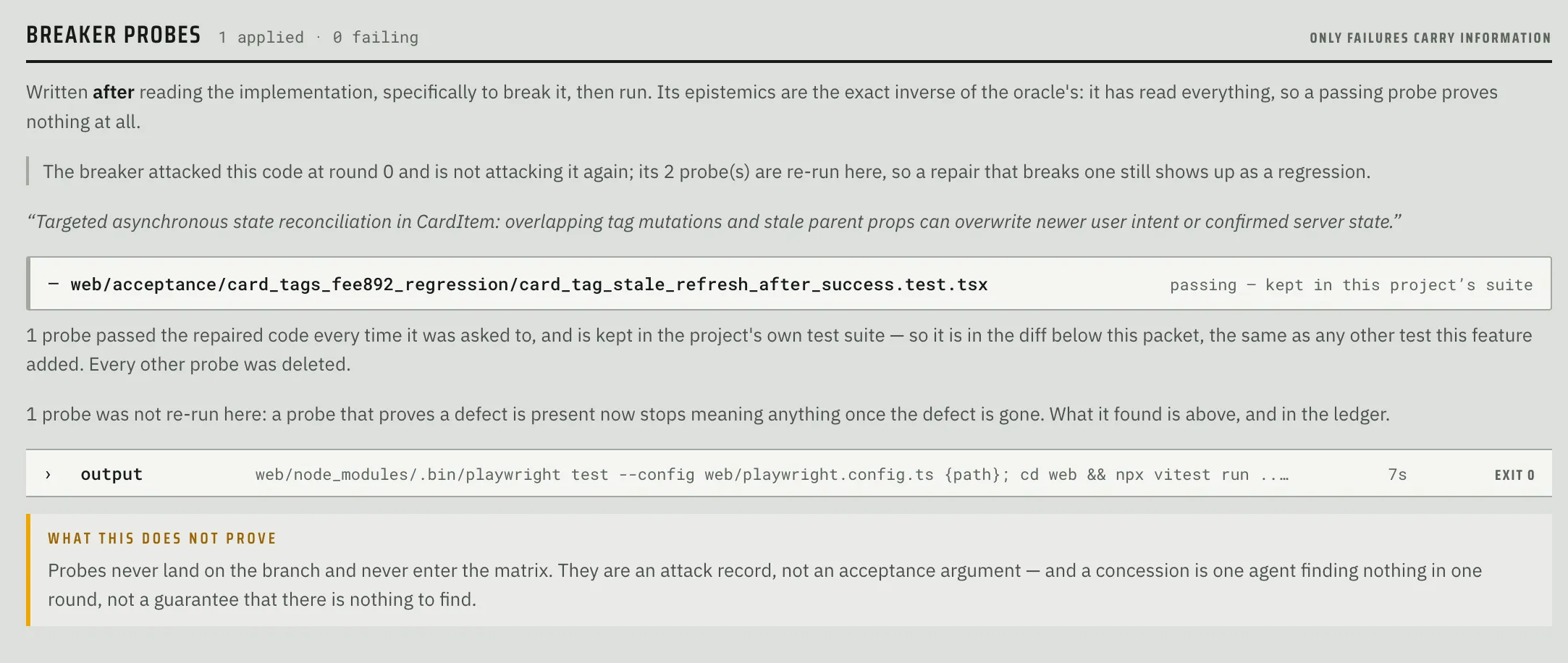
- Breaker (red team) - tries to break the code written by the workers. It goes after boundaries, untested failure paths, concurrency, hostile input, security holes, and criteria that are met in letter but not in spirit. Breaker writes probes (tests designed to fail) to demonstrate the problems it uncovered. Like Oracle tests, probes that guard a fix also become part of the regression suite.
- Reviewer (red team) - tries to make the strongest case possible against shipping the feature as built, including design issues like duplication, broken conventions, and unearned abstractions.
- Arbiter - decides what to do with every finding raised by the breaker, the reviewer, and the project’s own checks. It can send a finding to be repaired or simplified, send it back to the oracle, rule it out of scope, or escalate it to a human. What it can’t do is make a finding disappear.
- Repairer (blue team) - makes the narrowest possible fix for the issues the arbiter sent its way. Repairers run in a loop which is bounded by config (by default 2 rounds, a dollar budget, and a wall clock limit).
- Simplifier (blue team) - simplifies code that is correct, but more complicated than it needs to be (as flagged by the arbiter). It runs once, after the repair loop is done, and everything gets re-tested afterwards.
- Rapporteur - prepares a review packet for the human to look at.
It’s also important to note that not everything is done by an agent. Running the project’s checks, running the oracle’s tests, and splitting repairs into non-overlapping units are all done by plain code.
Once the build kicks off, the human is not expected to participate other than as a spectator. Fabrika uses a production line metaphor to visualize the progress, with a row of lamps, one per station:
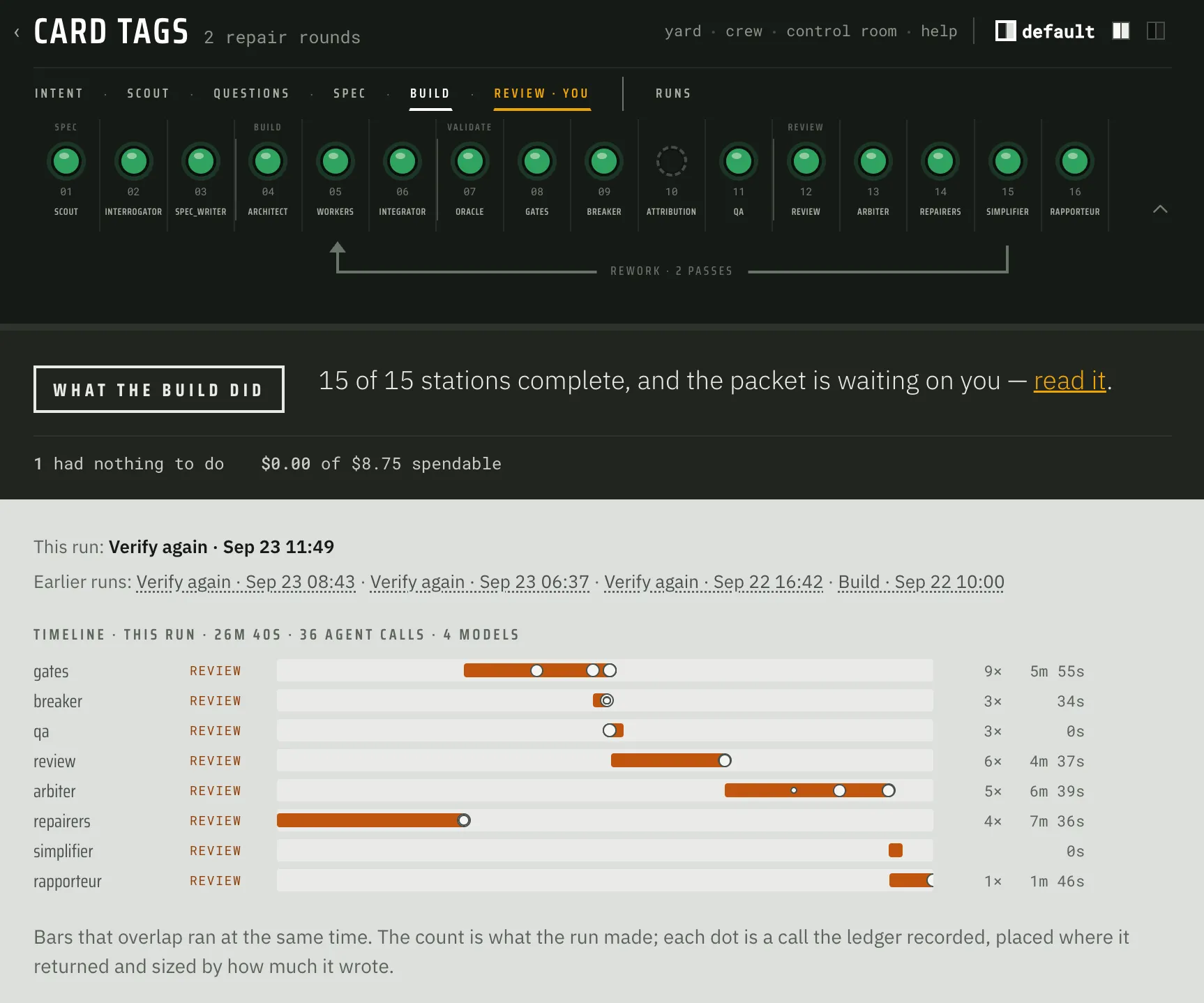
Fabrika also produces a detailed call tree that shows all activity and key details: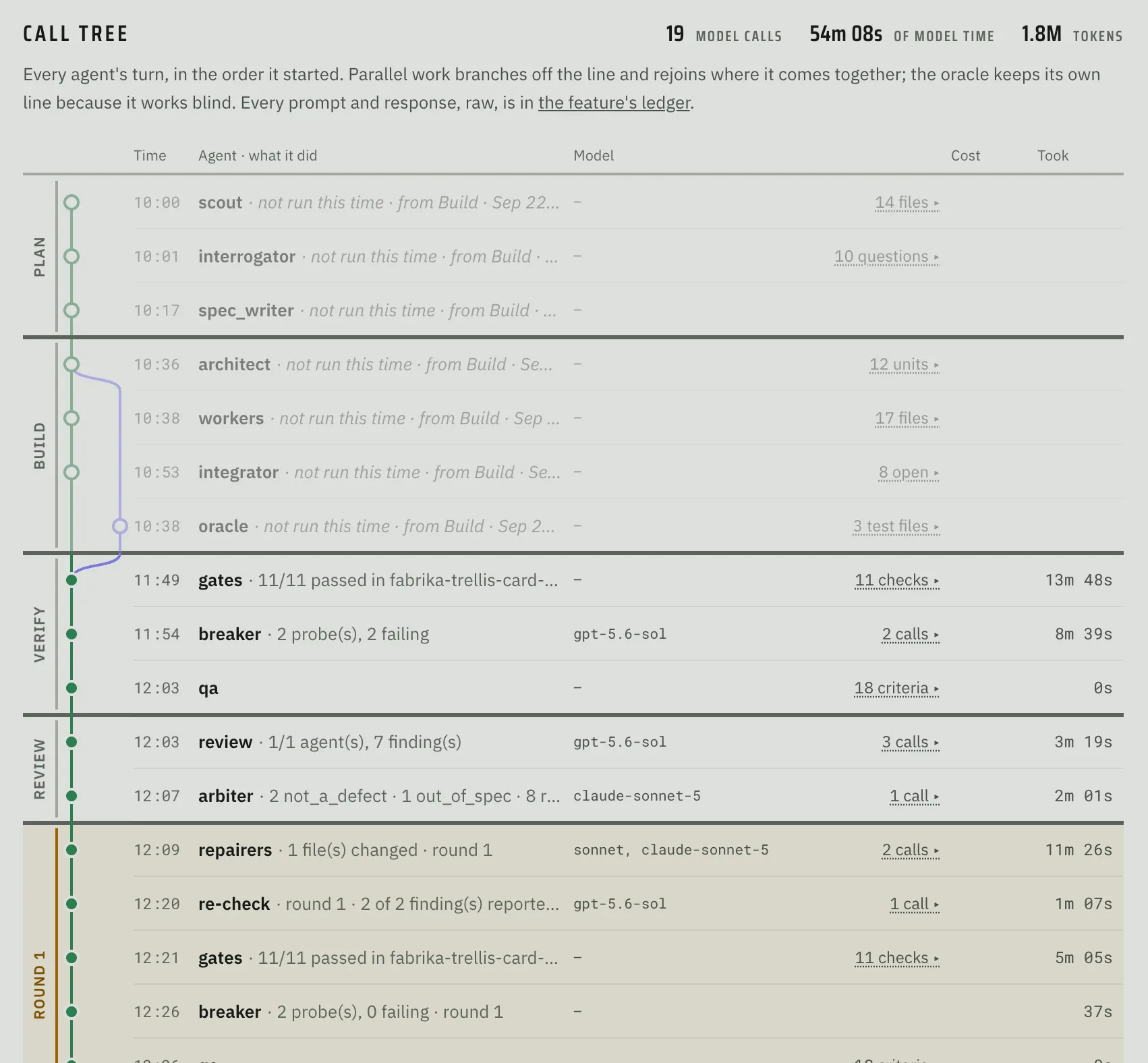
Code Review
Like Spec Review, Code Review is another key interaction with a human because its outcome should either be a PR or another round of work. Fabrika is designed to give the human as much context as possible that should make this process significantly less painful and more productive than a typical diff review:
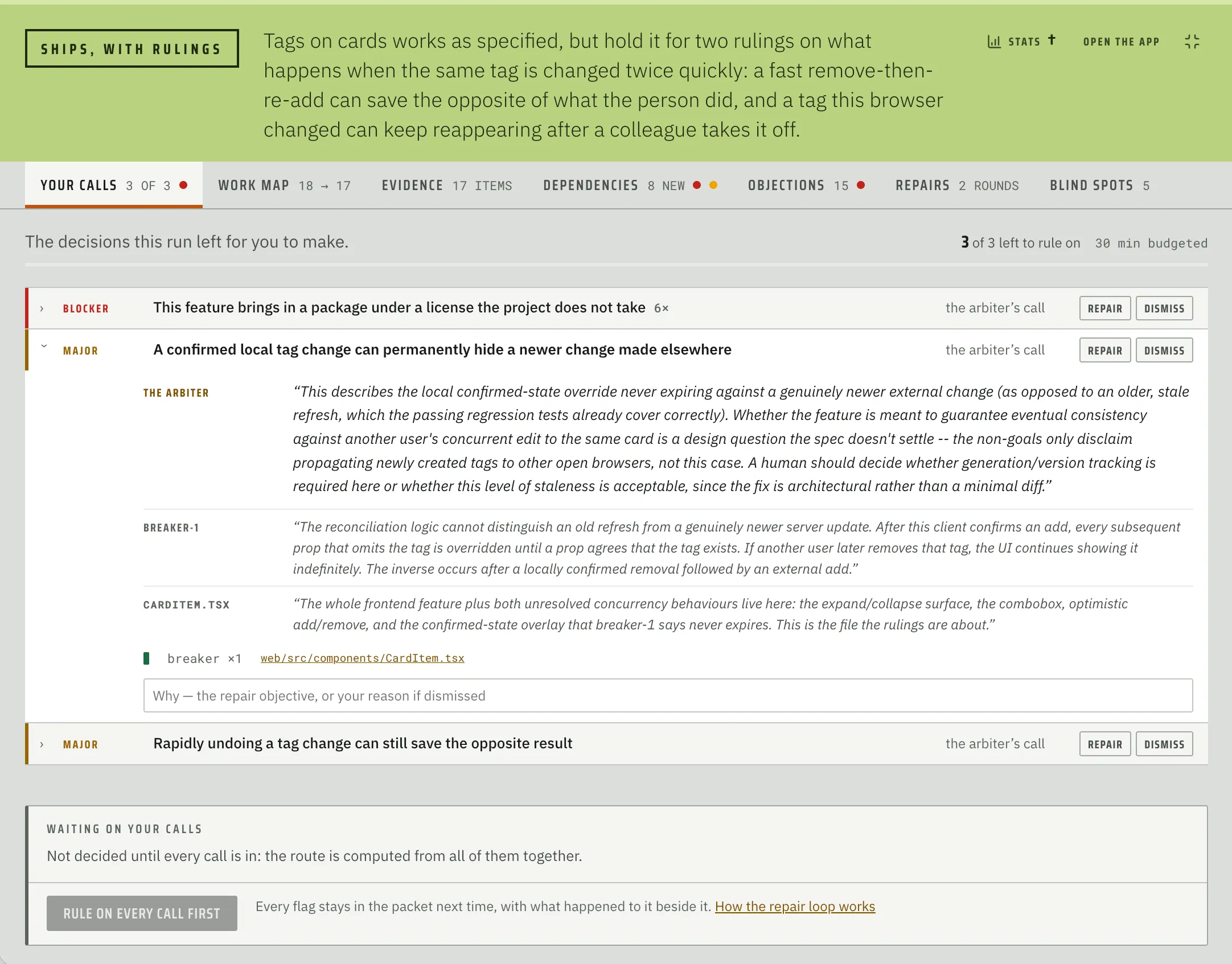
The review packet is split into the following categories:
- Your calls - the decisions the run couldn’t settle on its own (escalated or un-repaired findings, plus anything you need to check by hand)
- Work map - acceptance criteria and files written
- Evidence - everything the run produced that you can check for yourself: the project’s own checks, plus all tests and probes Fabrika wrote and ran
- Dependencies - list of new dependencies introduced into the repository, flagged for known vulnerabilities and malicious packages (via OSV), license problems, and packages that were only just published
- Objections - every objection raised about the change, grouped by what the repair loop did about it
- Repairs - details of the repair rounds
- Blind spots - lists the places where the packet’s numbers look better than the evidence behind them
I want to highlight a few of these tabs in more detail below.
Work Map
Work Map is designed to contextualize the files being modified against the acceptance criteria: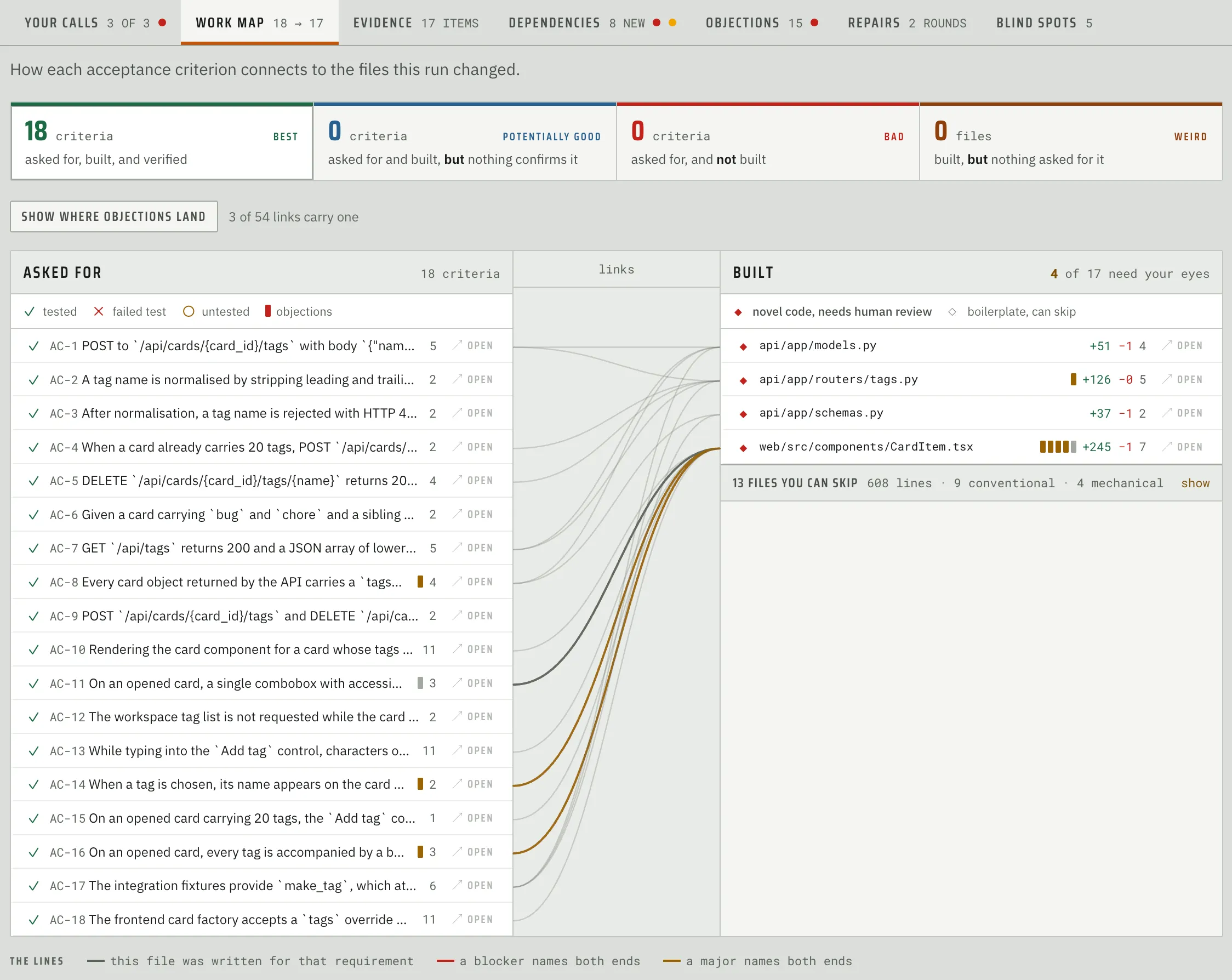
It breaks everything down into 4 categories:
- Best: asked for, built, and verified - every acceptance criterion that was both addressed and validated with a test.
- Potentially Good: asked for and built, but nothing confirms it - every acceptance criterion that has associated code but no passing test. This can happen if a test failed or never ran, or if the codebase does not have a way to run integration or user facing tests.
- Bad: asked for, but not built - acceptance criteria without anything built for them.
- Weird: built, but not asked for - somehow a file that was created or modified is not linked to an acceptance criterion.
The other key thing that happens in this view is the separation of novel code from boilerplate. Novel code is code that contains real choices (new business logic, say) and therefore should be closely examined by a human. On the other hand, boilerplate is code that can be safely skipped - it’s either obvious, forced by the language or framework (ex. ORM definitions), or generated by a tool. When in doubt, Fabrika marks the file as novel.
From the Work Map, the human can view an acceptance criterion, which shows the code written for it and relevant context (such as worker decisions related to it):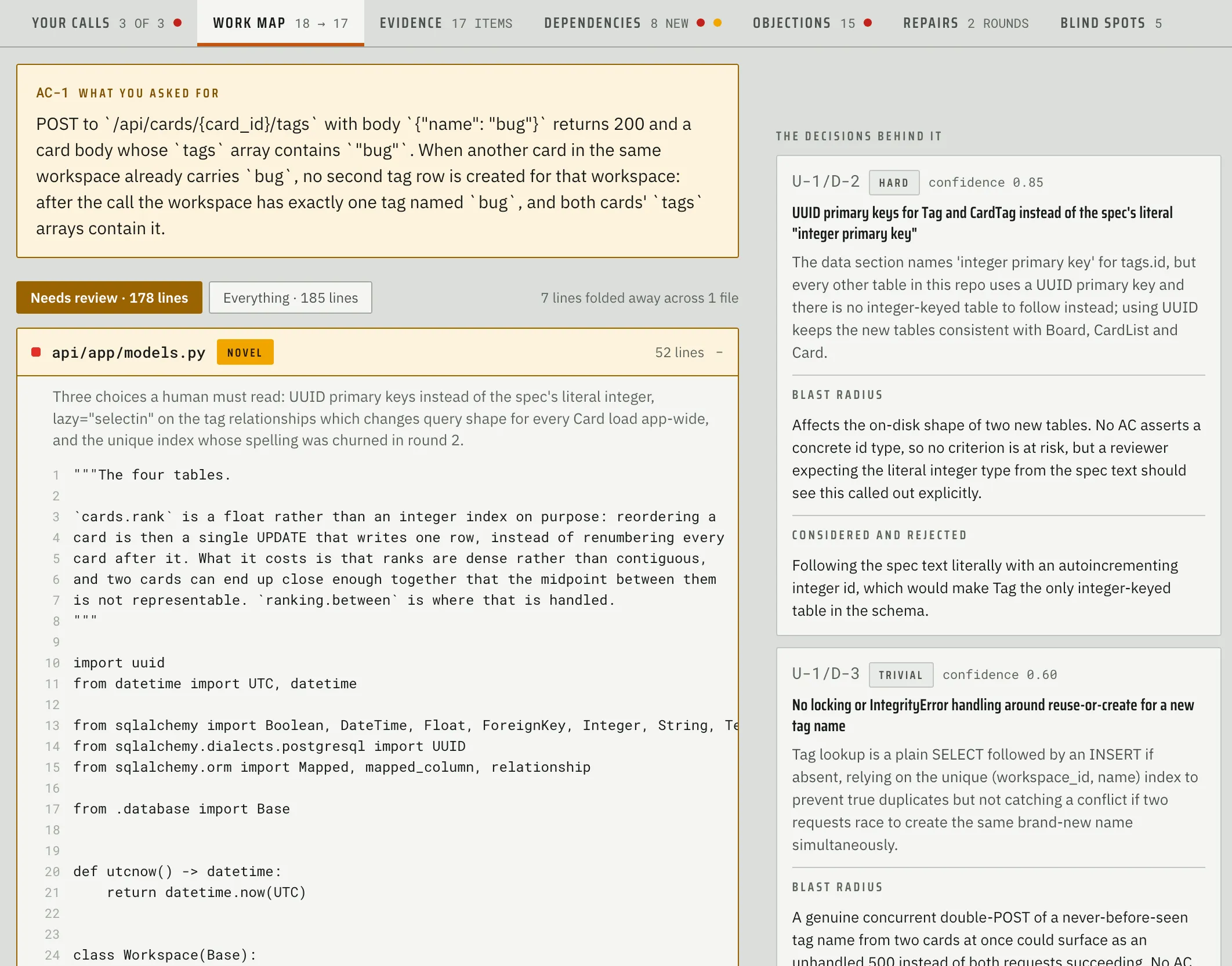
Similarly, the human can also jump to the file that was modified, which shows the classic diff view alongside relevant context: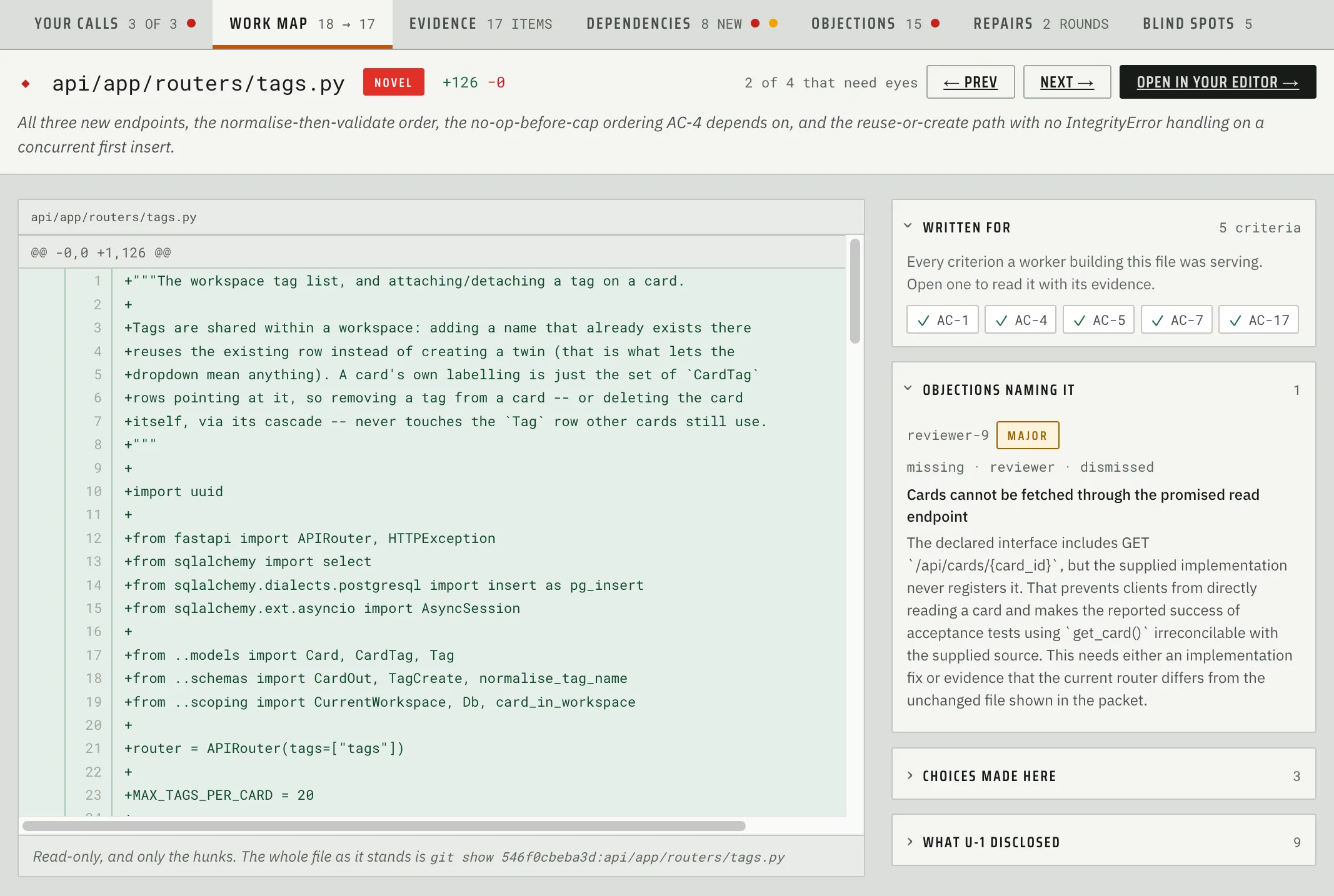
Dependencies
This tab contains dependencies that were added to the repository during the build along with key info about them: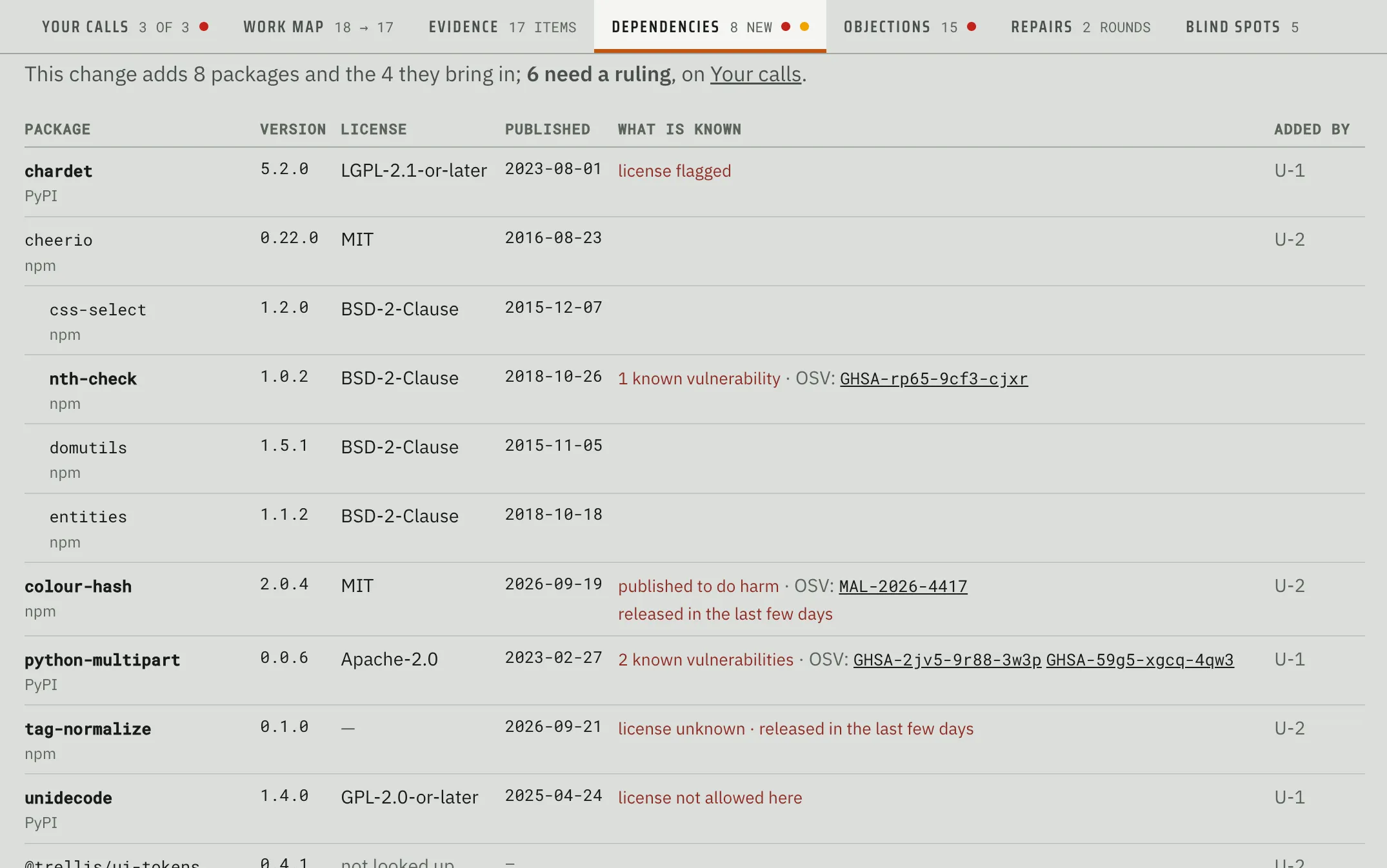
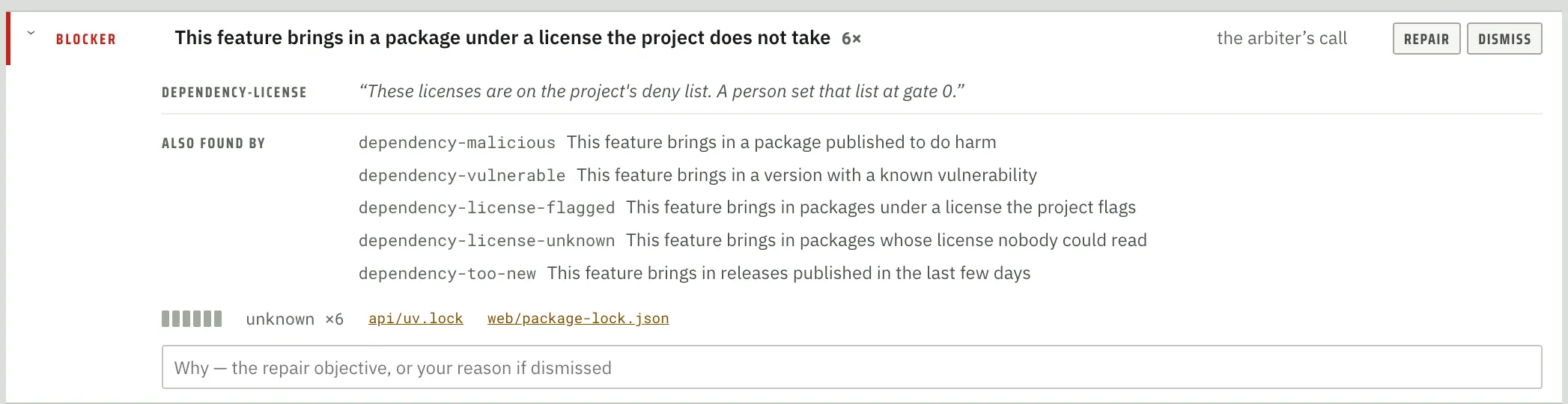
Any dependency that uses a commercially problematic license, contains a known OSV vulnerability, or was only recently released is highlighted for additional scrutiny:
Evidence
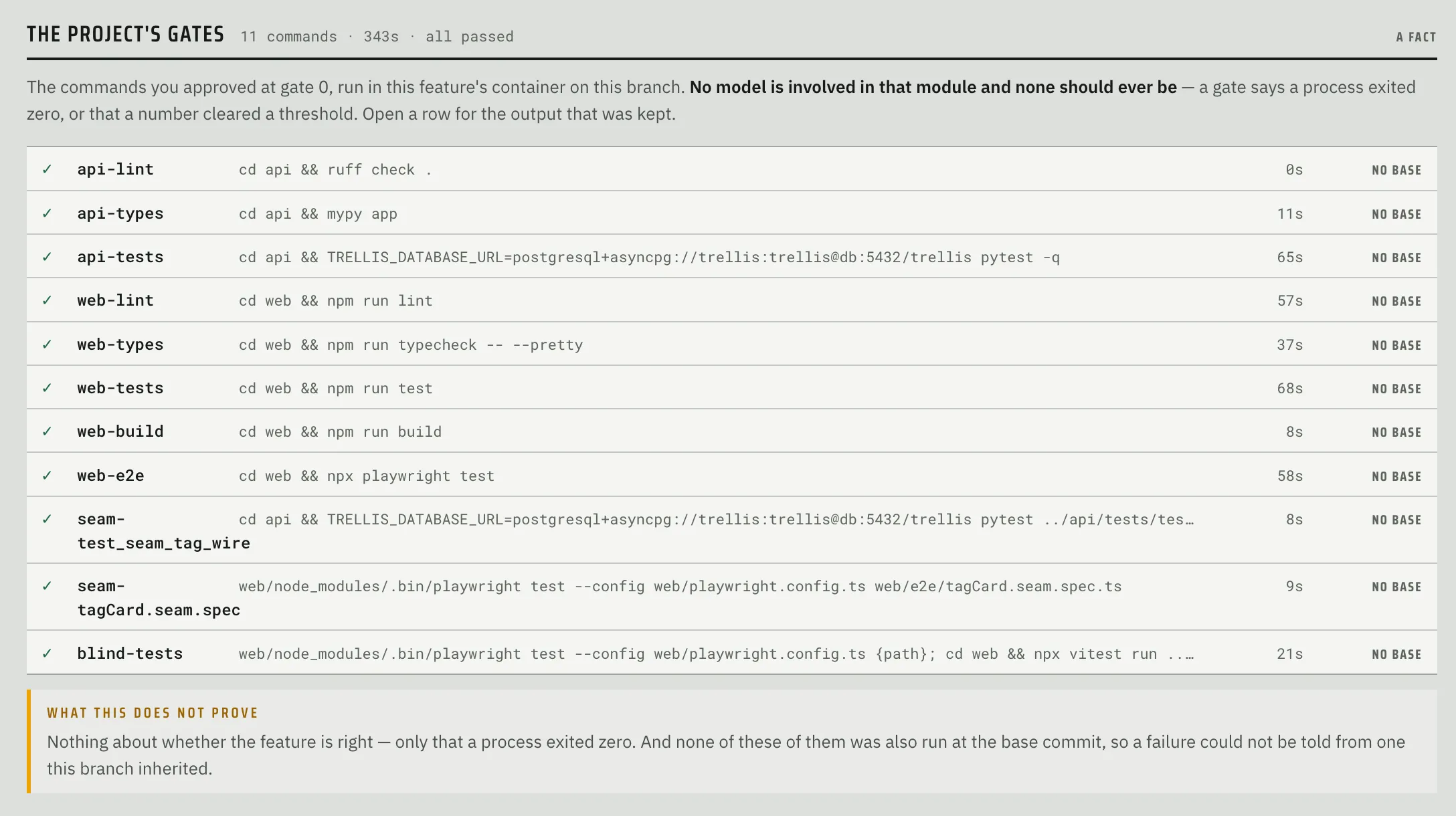
This tab contains the results of all tests run by Fabrika during the build. This includes:
- Video recordings of browser-based acceptance tests
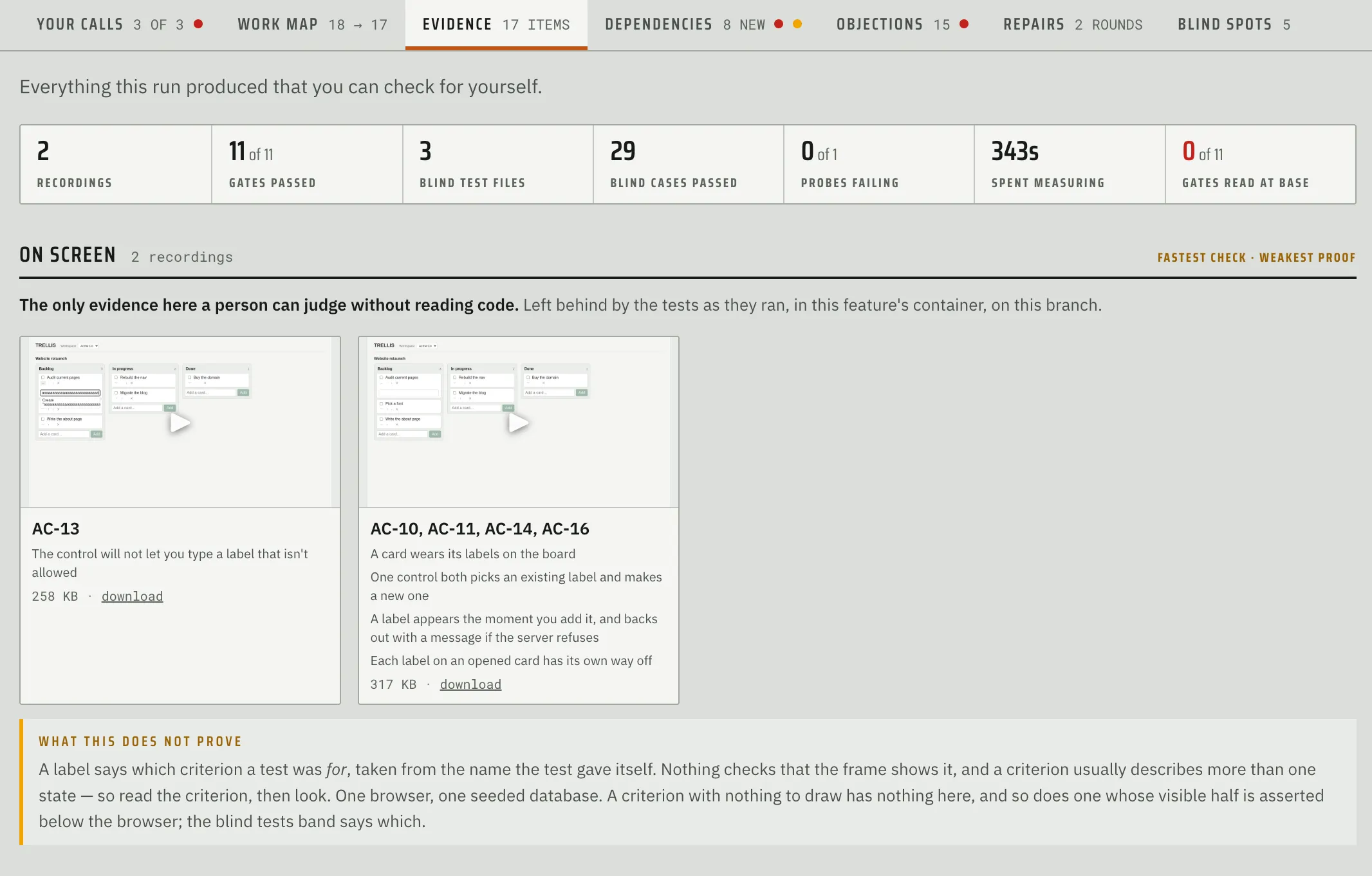
- Project gates
- Acceptance tests
- Breaker probes
As-Built
One of the hardest things to do as a software engineer is to understand a new codebase (or refresh your memory of an old one). You need a mental model of how things work if you’re going to be modifying it. To help with this, I created the As-built feature:
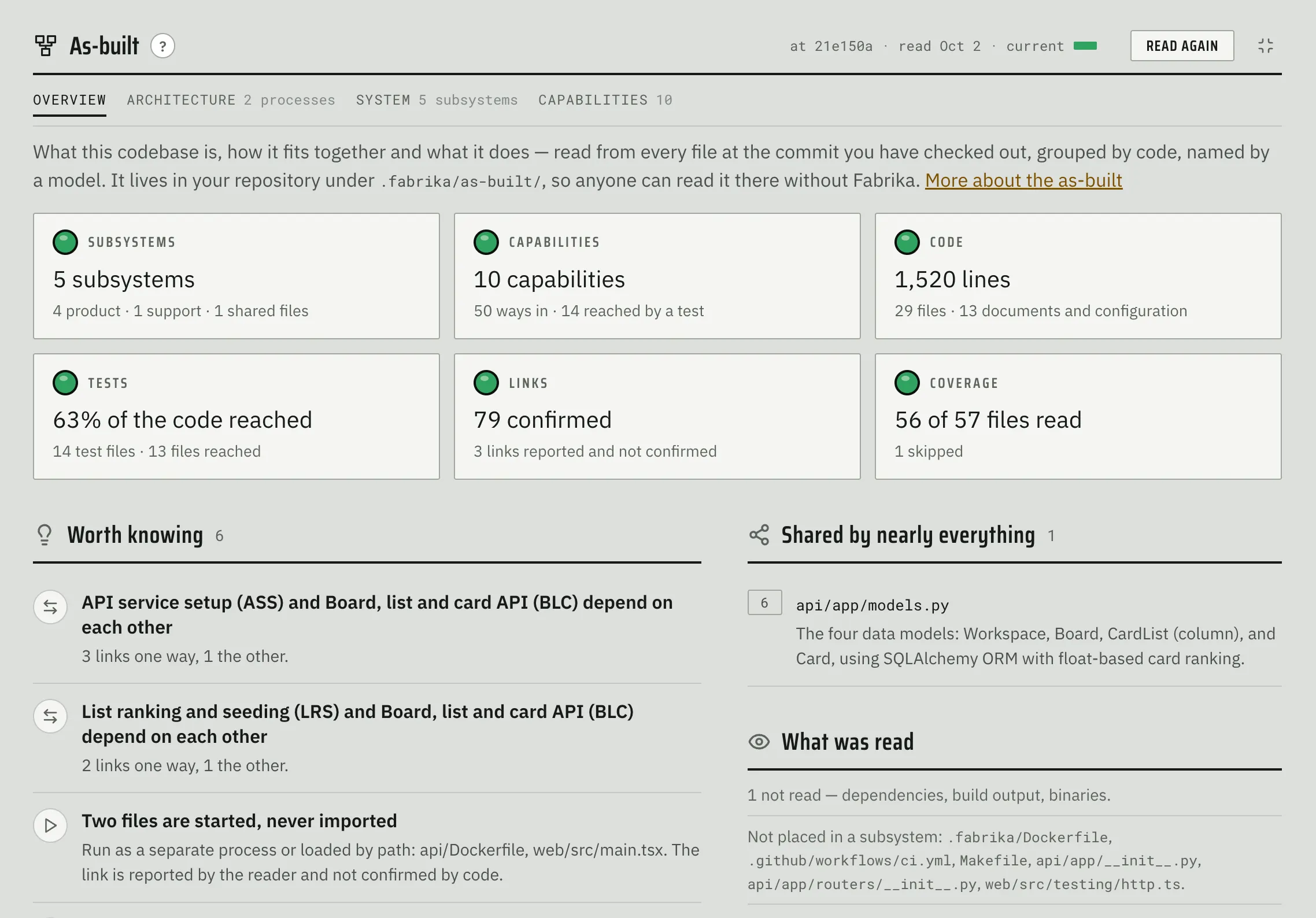
As-built (a term I borrowed from construction) helps the human visualize, examine, and hopefully understand the architecture, design, and capabilities of the system they are working with.
Note that As-built processing is independent from project onboarding and feature development and uses its own process:
- Reader agent that reads every file and generates a detailed artifact
- Plain code that checks what the reader reported and joins it into a graph
- Cartographer agent that names the resulting groups.
As-built can be generated at any time, including after a feature is built. It keeps track of the most recent commit it processed and will only read those files that changed since the last time it ran.
Architecture
This tab contains an interactive visualization of the system architecture which includes the users, the system, its dependencies, and supporting tooling:
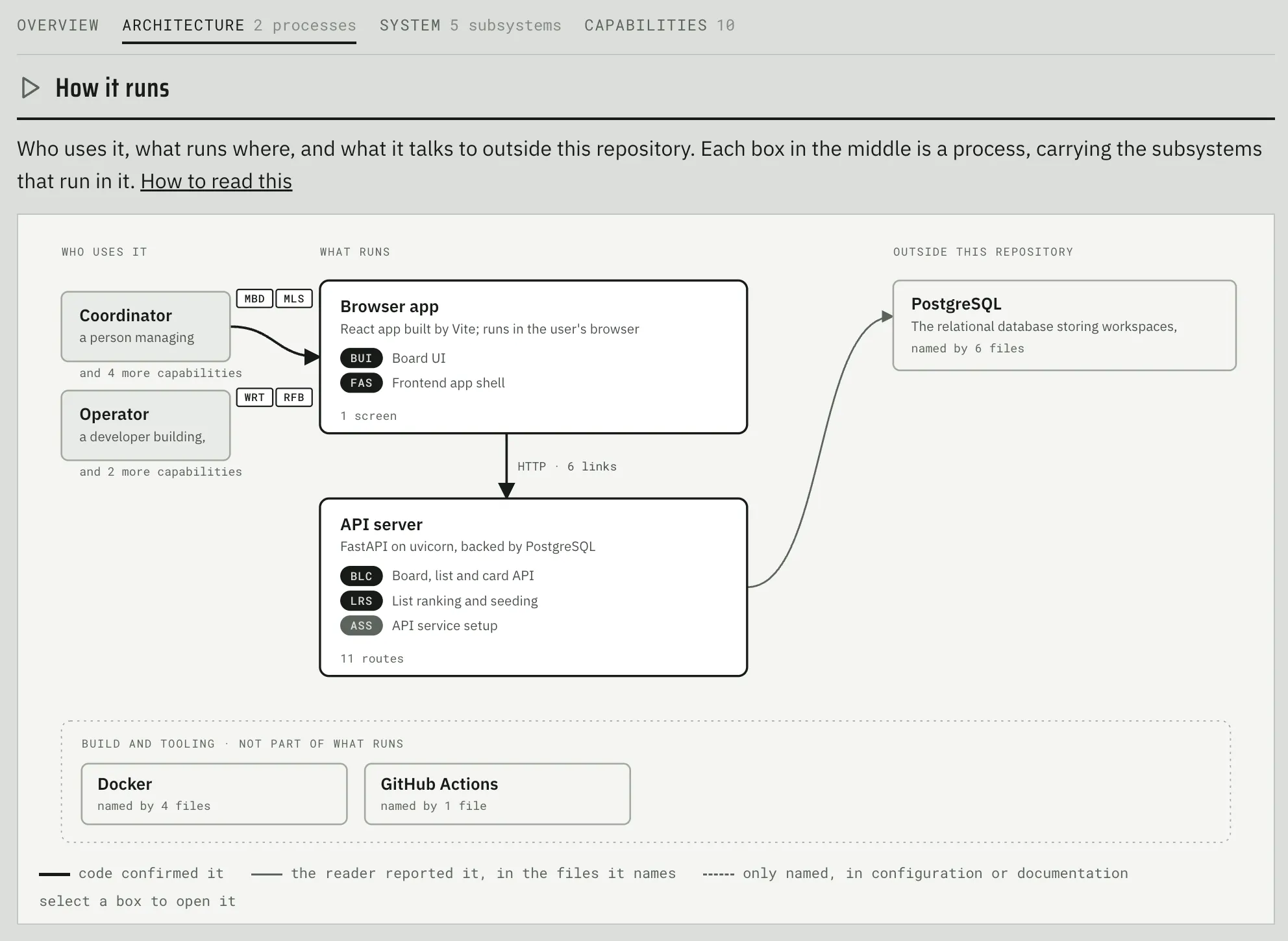
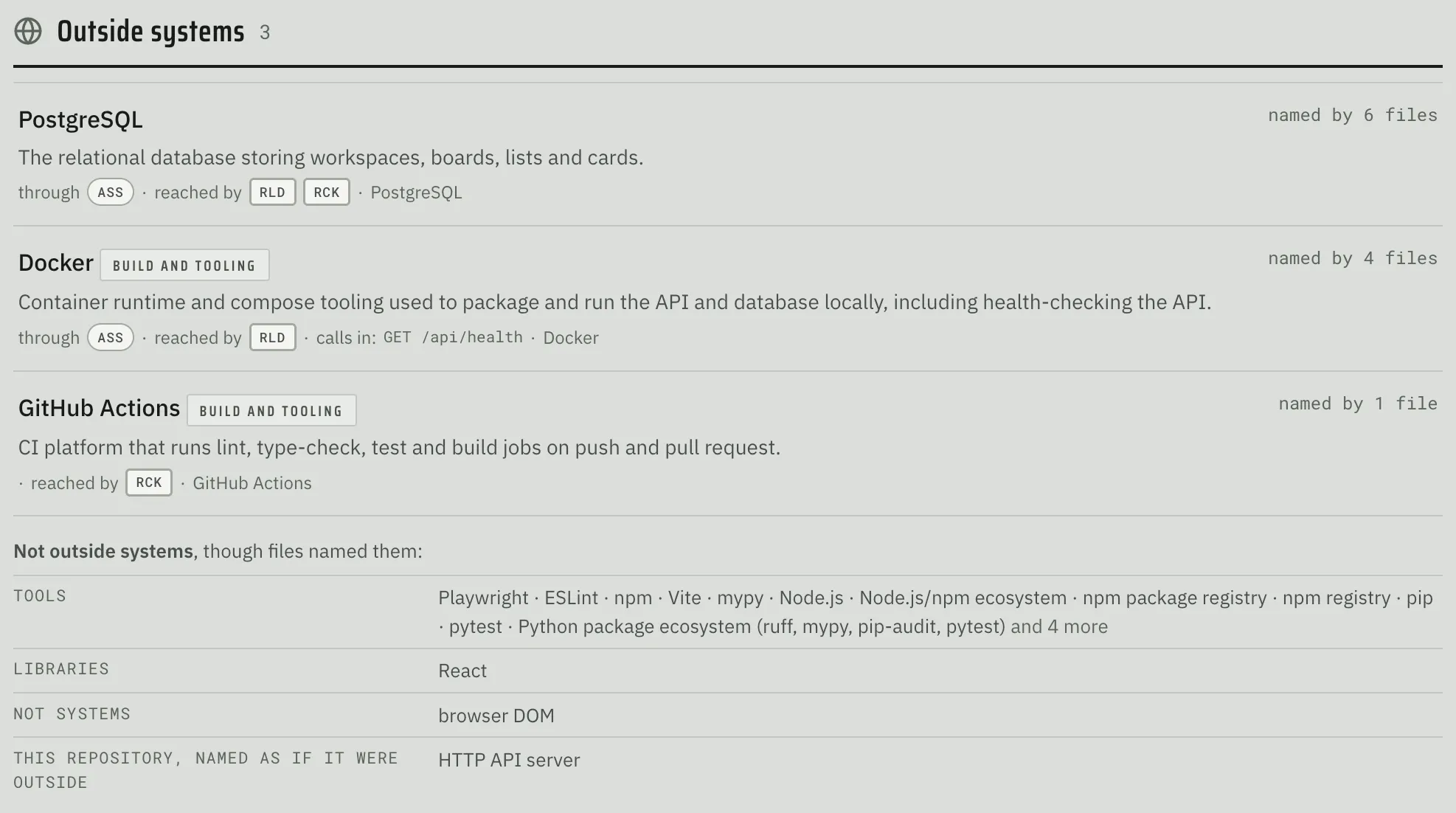
Finally, it lists all endpoints along with some search/filtering capabilities: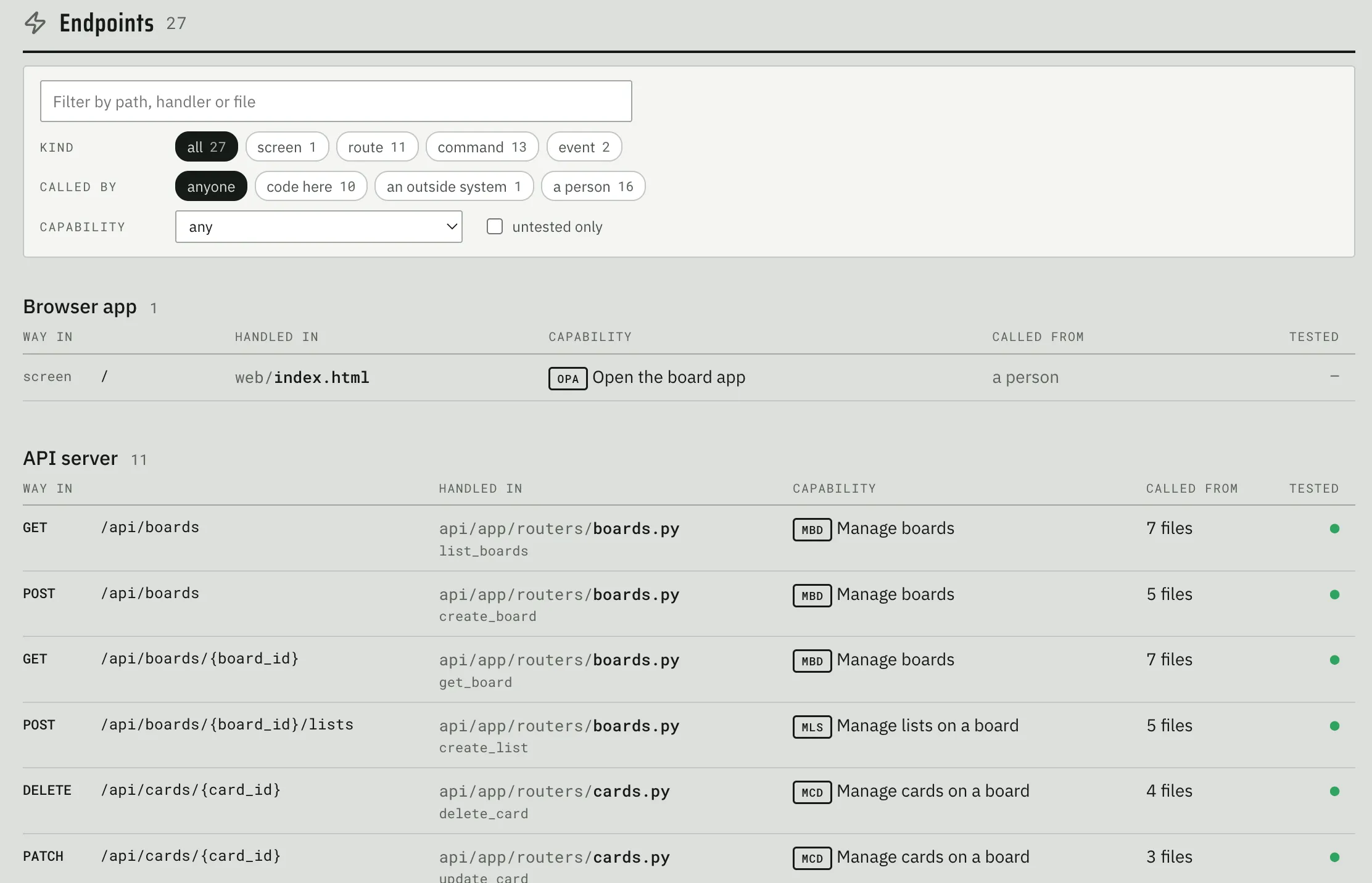
System
System tab shows the human various subsystems that reside in this codebase: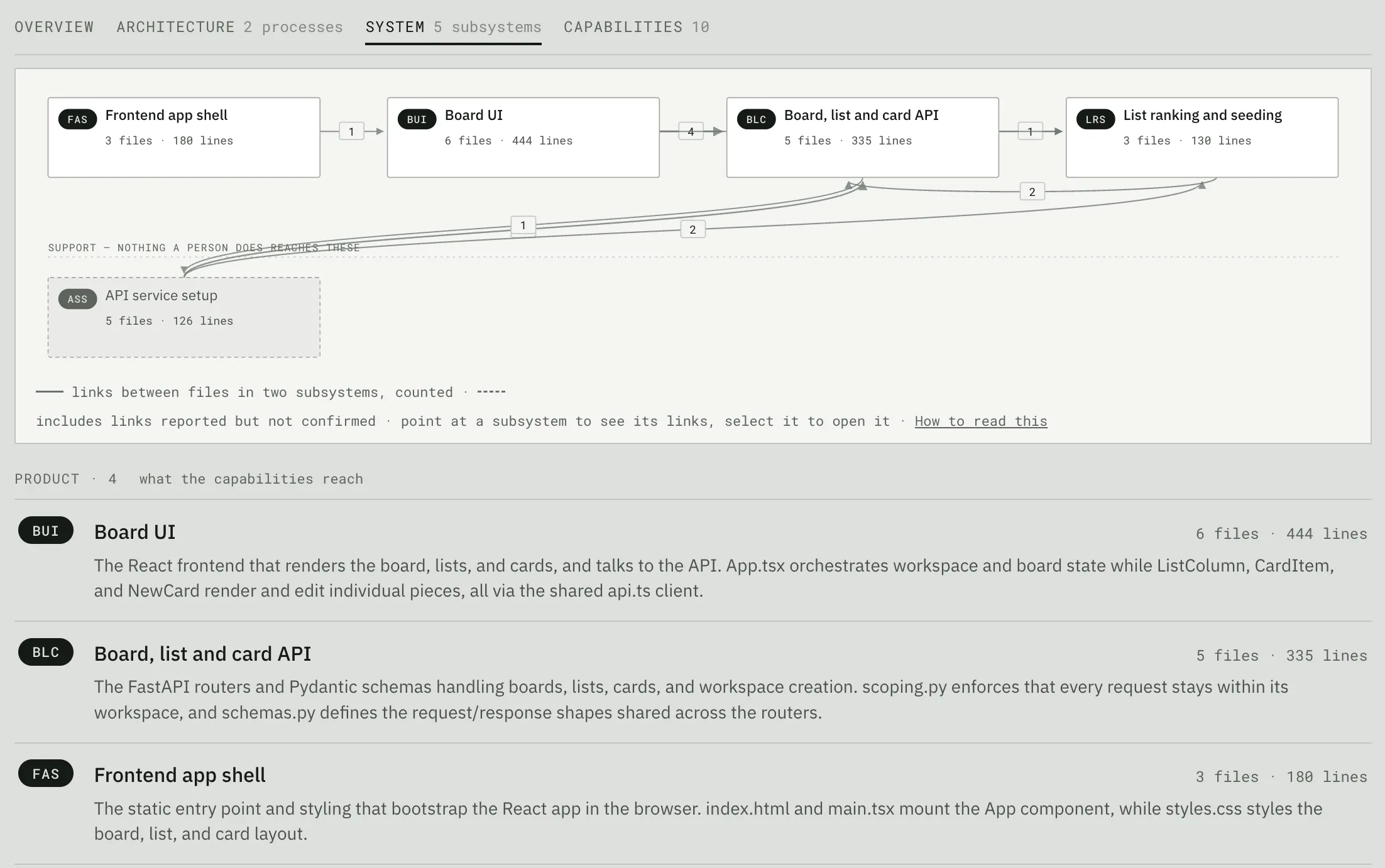
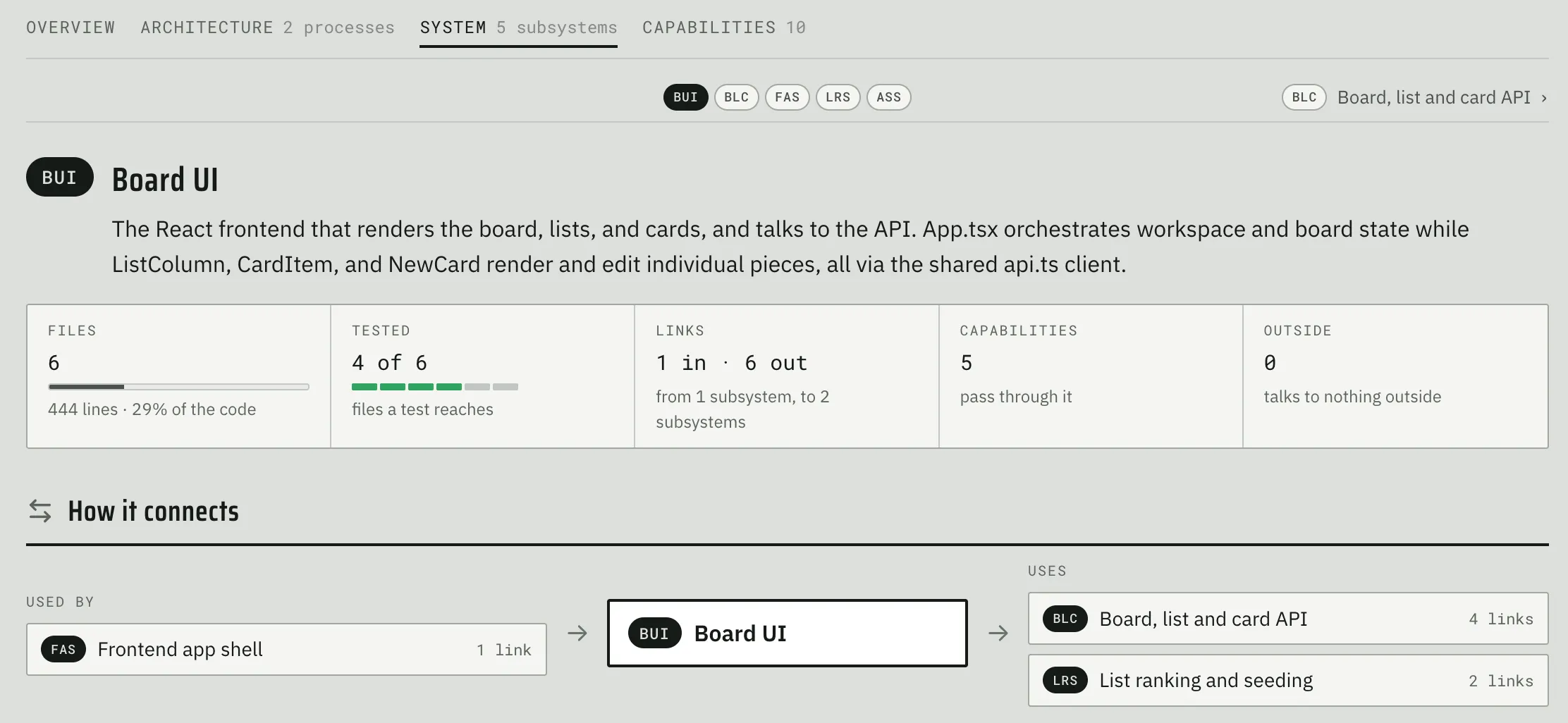
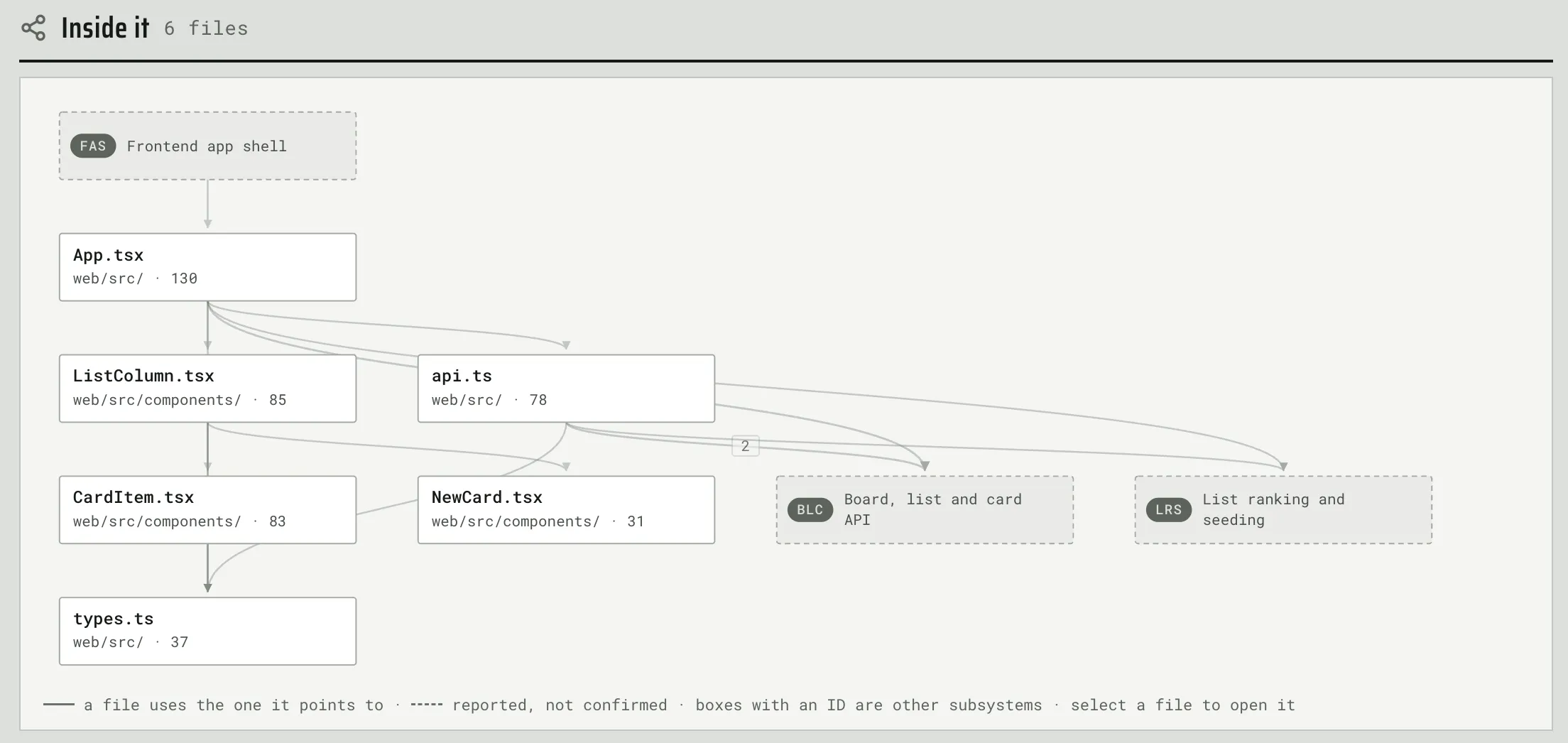
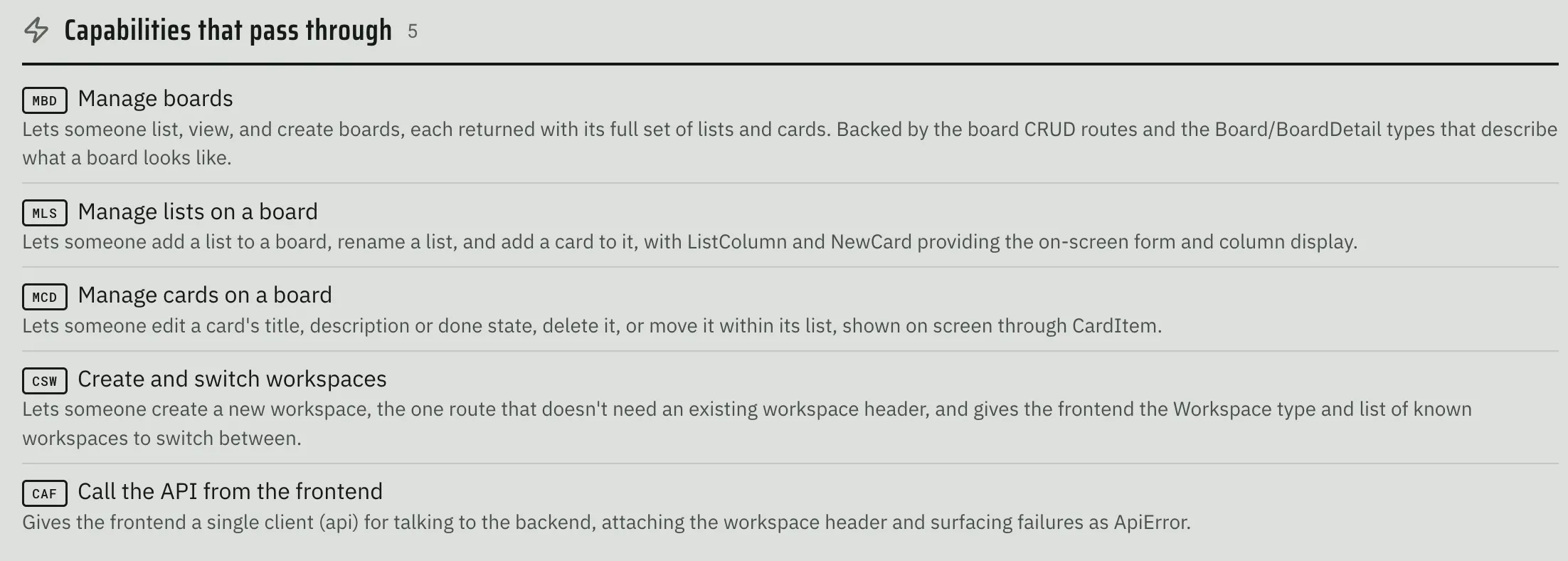
Each system has a stable three letter ID that helps you reference it in other places. A human can click into a specific subsystem view, which shows the following:
- Connections to other systems
- Internals (files and their relationships)
- Capabilities it enables
Capabilities
This tab shows a visualization of capabilities implemented in this codebase, plotted against the systems that support them: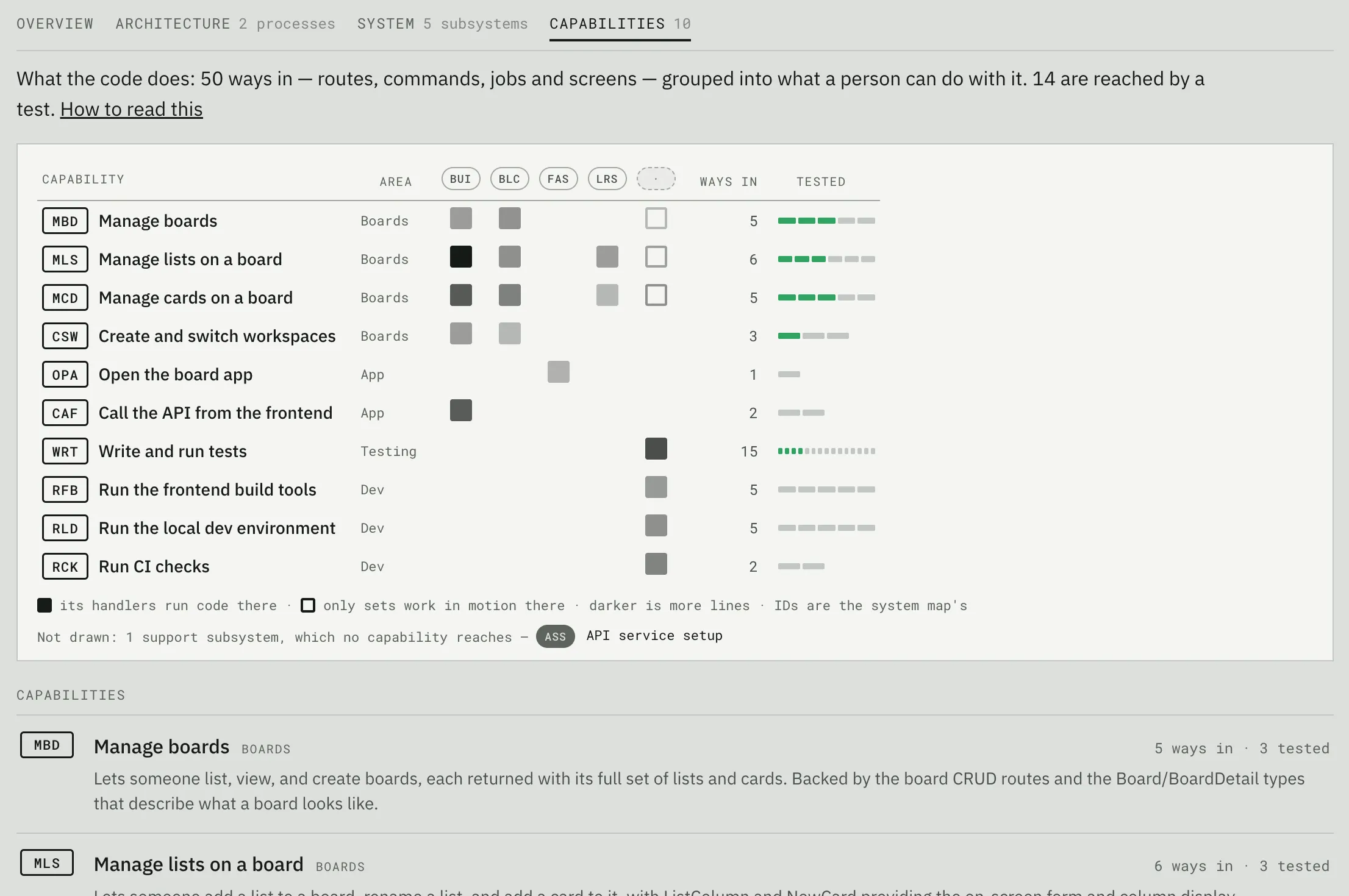
Similar to the subsystem view, each capability is denoted by a 3 letter id and shows the human how it connects to the subsystems which implement it: 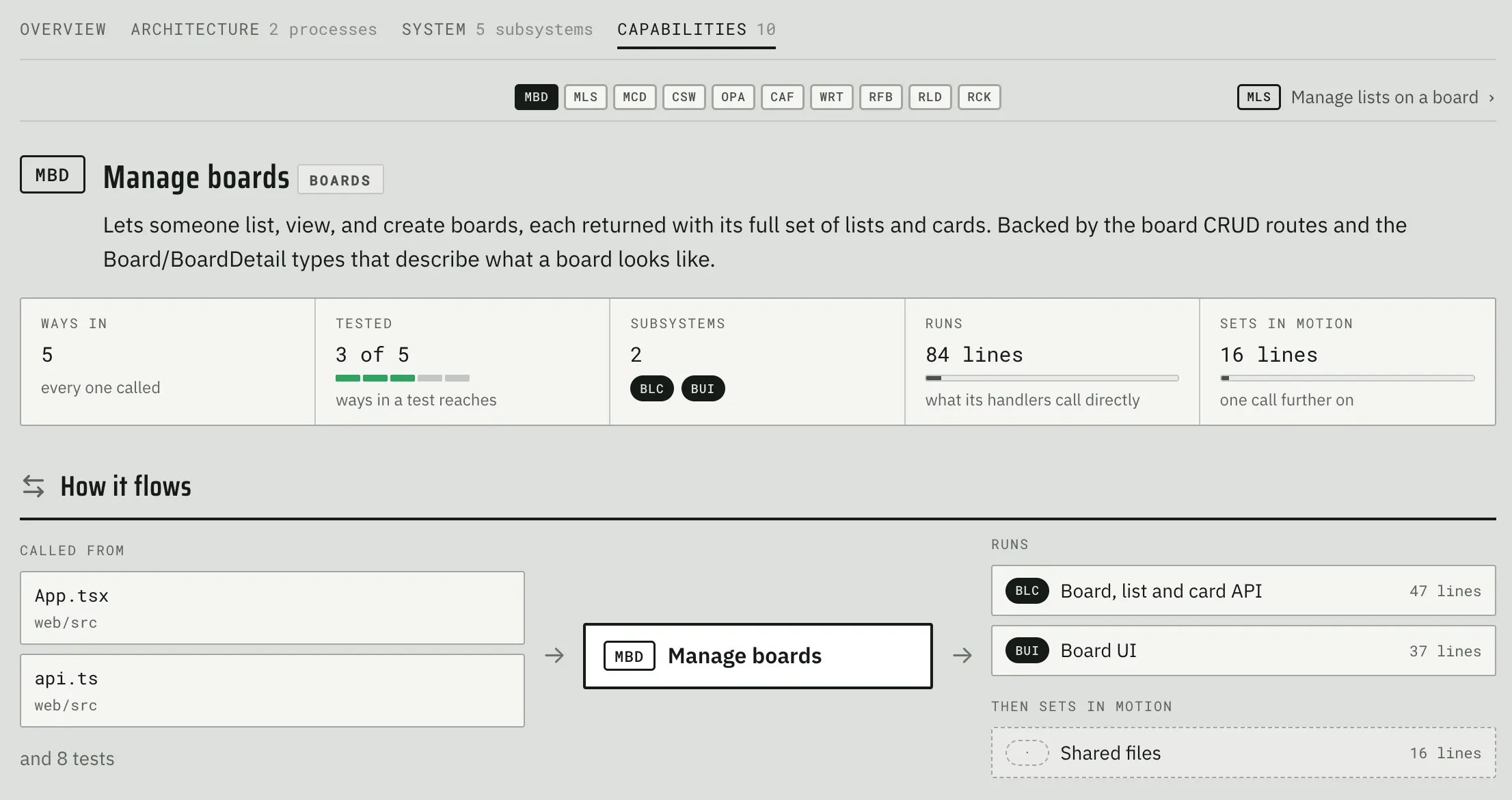
Finally, the human can also see individual files: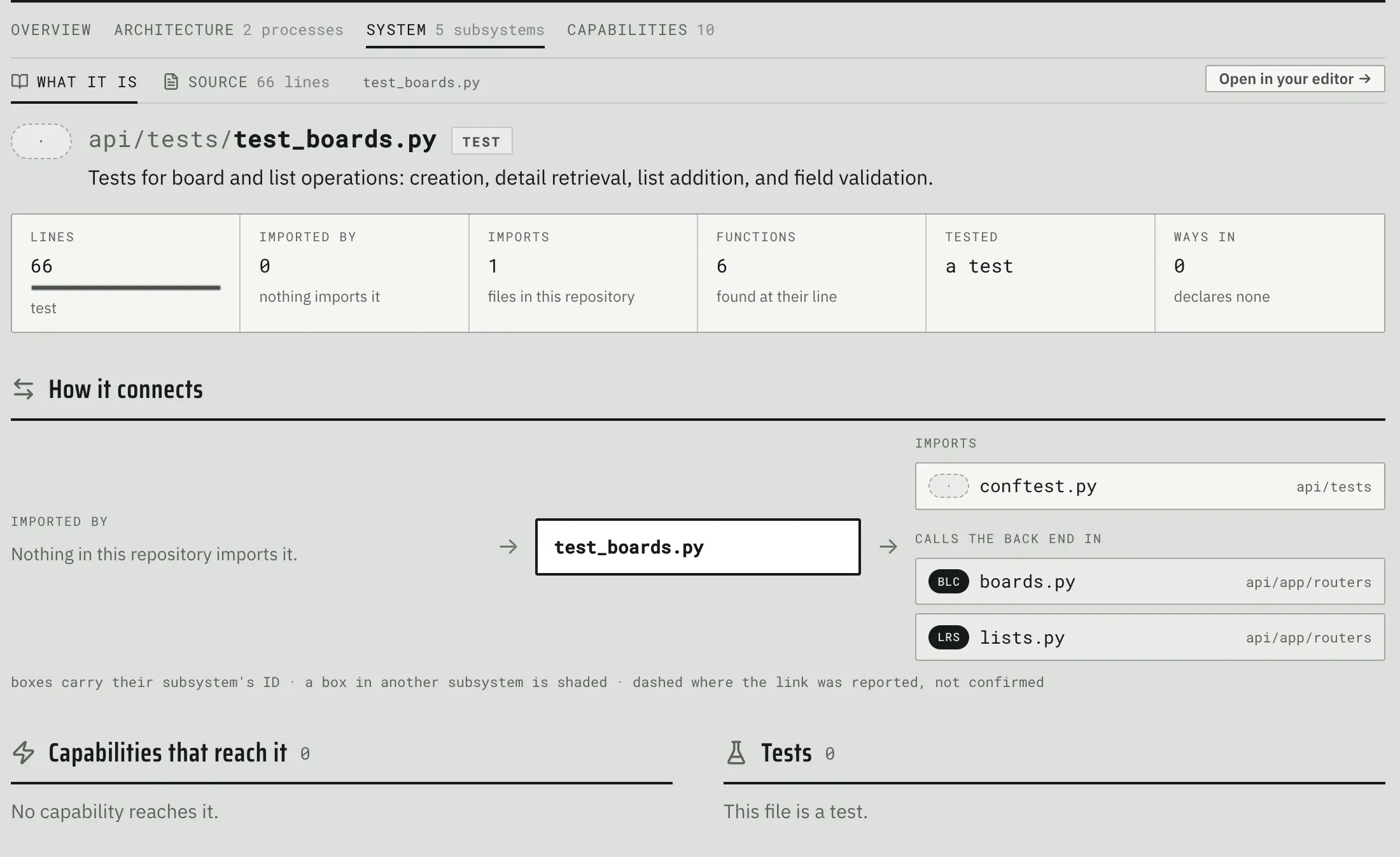
and an annotated source view: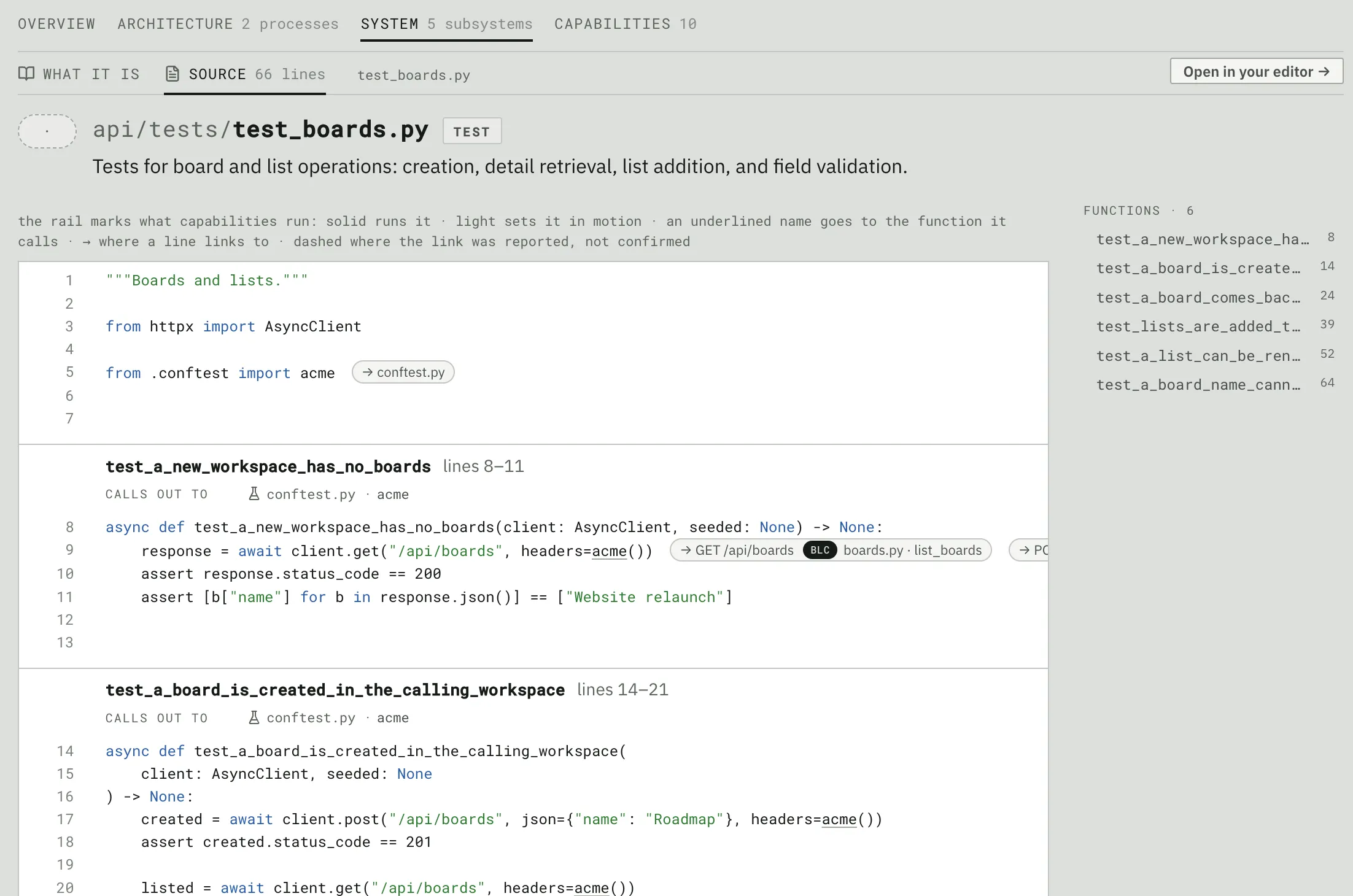
Parting Thoughts
Even though Fabrika does a lot of stuff, it’s still early days. I haven’t used it in anger yet. I don’t know how well it will work on larger projects or larger features. I’m certain it has painful bugs and lacks key functionality. And yet, in spite of all that, I’m very excited about Fabrika and I’m even more excited about releasing it into the wild. Please feel free to connect with me if you want to help make it everything it can be!